What is cPanel/WHM Reseller Hosting? Complete Guide for Beginners
A complete explanation of cPanel/WHM based reseller hosting: how it works, the role of WHM vs cPanel, main features, advantages, limitations, and who is suitable to use it.
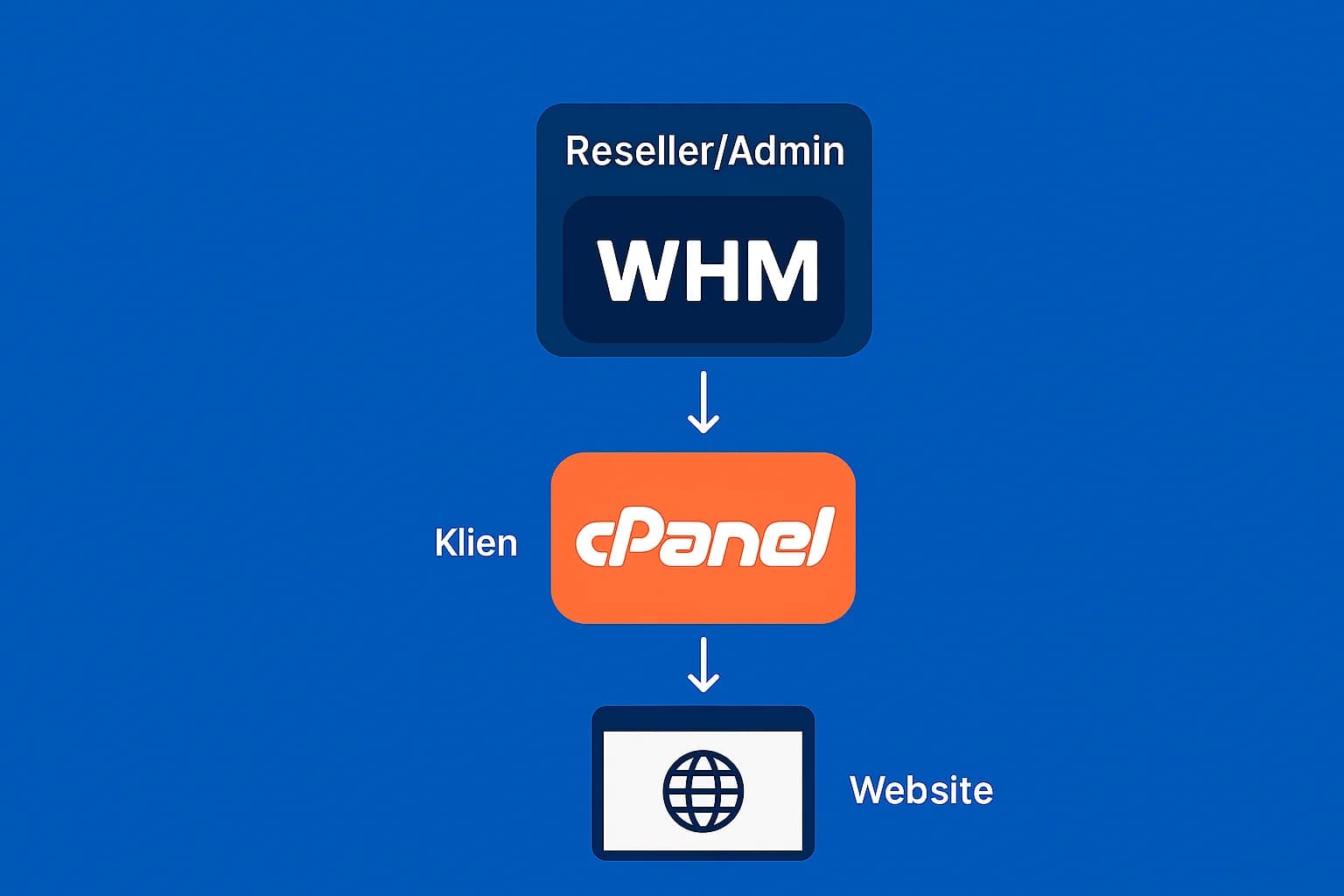
If you are looking for a way to start a hosting business without having to manage your own servers, chances are you will often hear the term cPanel/WHM reseller hosting. This article helps you understand what it actually is, how it works, and why this combination of tools is becoming the industry standard for hosting resellers—both in Indonesia and internationally.
Reseller Hosting at a Glance
Reseller hosting is essentially a service where you rent server resources (such as disk space, bandwidth, and RAM) from a hosting provider, then divide them into several small hosting accounts for resale.
The difference with regular shared hosting:
- Shared hosting → You only get 1 account cPanel for 1 website.
- Reseller hosting → You get access to WHM (Web Host Manager) which allows you to create multiple cPanel accounts for clients.
That way, you can act as a mini hosting provider—with your own brand, your own packages, and your own customers—without the hassle of managing a physical server. For an overview of other types of services, see also Hosting Types.
What is cPanel and WHM?
To make it clearer, let's separate the functions of the two:
cPanel
The control panel used by the website owner (your client). From here, they can manage files, databases, email, domains, and SSL. Continue learning in cPanel guide and cPanel interface.
WHM (Web Host Manager)
The control panel used by you as a reseller. From here, you can create a new cPanel account, determine the hosting package, monitor resource usage, and even suspend/unsuspend the account.
The relationship between the two is like this:
- WHM = “admin” dashboard for resellers.
- cPanel = “user” dashboard for your clients.
Main Features of cPanel/WHM Reseller Hosting
As a reseller, there are several important features that you usually get:
- Create Your Own Hosting Package You are free to determine the disk space, bandwidth, number of emails, and database for each package.
- Separate cPanel Accounts for Clients Each client will have their own cPanel login, so privacy and security are maintained.
- White Label Branding You can use your own logo and domain name, including creating custom nameservers (for example
ns1.brandanda.com). - Resource Management Through WHM, you can monitor each account's CPU, RAM, and I/O usage.
- Backup and Security Providers typically provide Backup Cpanel automatic backup, DDoS protection, as well as freeSSL
] integration.
- WHMCS integration (optional) For billing automation, cPanel account provisioning, and customer management.
Advantages of Reseller Hosting with cPanel/WHM
Why do the majority of providers choose cPanel/WHM for reseller hosting? Some reasons:
| Advantages | Practical Notes/Perspective |
|---|---|
| Industry & Ecosystem Wide Standards | Abundant documentation and community make troubleshooting easy. Tip: Leverage the WHM/cPanel plugin marketplace for automation. |
| Easy to Use for Beginners | The learning curve is relatively gentle. Note: Still require a client onboarding SOP so that support doesn't become bloated. |
| White Label Full Build your brand with your own private nameserver and logo. Note: Set up | a custom domain for NS (ns1/ns2). |
Limitations You Need to Know
Of course there are some limitations:
-
Performance depends on primary server resources (if the parent server is overloaded, your clients are also affected).
-
cPanel licensing costs, although it is usually included in the package.
-
Less flexible than alternative panels such as DirectAdmin or custom panels.
Good practice: choose a provider that is transparent about CPU/RAM/IO limits, inodes, and backup policies. This helps you set client expectations from the start.
Who is it suitable for?
In my opinion, cPanel/W
H
M reseller hosting is suitable for:
- Freelancers or web developers who want to offer hosting as an additional service.
- Digital agencies who want to bundle hosting with website creation services.
- Prospective small hosting providers who want to learn about operations before investing in their own servers.
If you're focused on delivering reliable emails to clients, also read email on cPanel to maintain your reputation and deliverability.
cPanel/WHM FAQ for Resellers
- Is WHMCS necessary? Not required, but very helpful for billing automation, account creation/suspend, and renewal notifications.
- What is a private nameserver? A branded nameserver (e.g.
ns1.brandanda.com) to make your service appear completely white-label to clients. - Is overselling safe? It is safe if limited and monitored. Use fair-use policies, monitor CPU/RAM/IO, and avoid aggressive allocation.
- How do CPU/RAM/IO limits affect clients? Standard limits (CloudLinux/LVE) maintain shared server stability. Educate clients when approaching limits so they can upgrade.
Conclusion
cPanel/WHM reseller hosting is a practical way to start a hosting business with minimal capital. You'll get full control through WHM to create a cPanel account, define plans, and build your own hosting brand.
If you are serious about taking the plunge, the next step is to choose a Reseller Hosting Directory reseller hosting provider that offers packages with cPanel/WHM support, stable uptime, and responsive technical support. That way, you can focus on developing your business and serving clients, without having to worry about managing complex server infrastructure.
Ready to compare plans? Visit Reseller Hosting Directory Hosting Reseller Directory to see the best cPanel/WHM options that suit your target market.

Willya Randika
Hi, saya Randika, seorang Web Developer yang spesialis di WordPress, Astro, dan Next.js. Sejak 2015, saya telah membantu ratusan bisnis dan profesional membangun website yang tidak hanya cepat dan aman, tapi juga mudah ditemukan di Google dan efektif mengkonversi pengunjung menjadi pelanggan.
Related Articles

3 Best Uptime Monitoring Services
Review and comparison of the 3 best uptime monitoring services. Find free and paid website monitoring tools with full features to ensure your website is always online.
just.hosting: Global VPS with 20 Years of Experience
International VPS provider serving 329,000+ clients in 40 countries with a focus on flexibility, performance and competitive pricing

How to Create a Web Application Without Coding for Online Business
Complete tutorial on how to create a web application without coding for online business, starting from planning, creating, and putting the application online.
Hostinger: Global Infrastructure, Local Touch
The hosting platform that serves 5 million users in 150+ countries is now present with full commitment to the Indonesian market.

Cloudways Review
A complete review of Cloudways, a popular managed cloud hosting platform, discussing its advantages and disadvantages as well as how it compares to other providers. Suitable for beginners to developers.
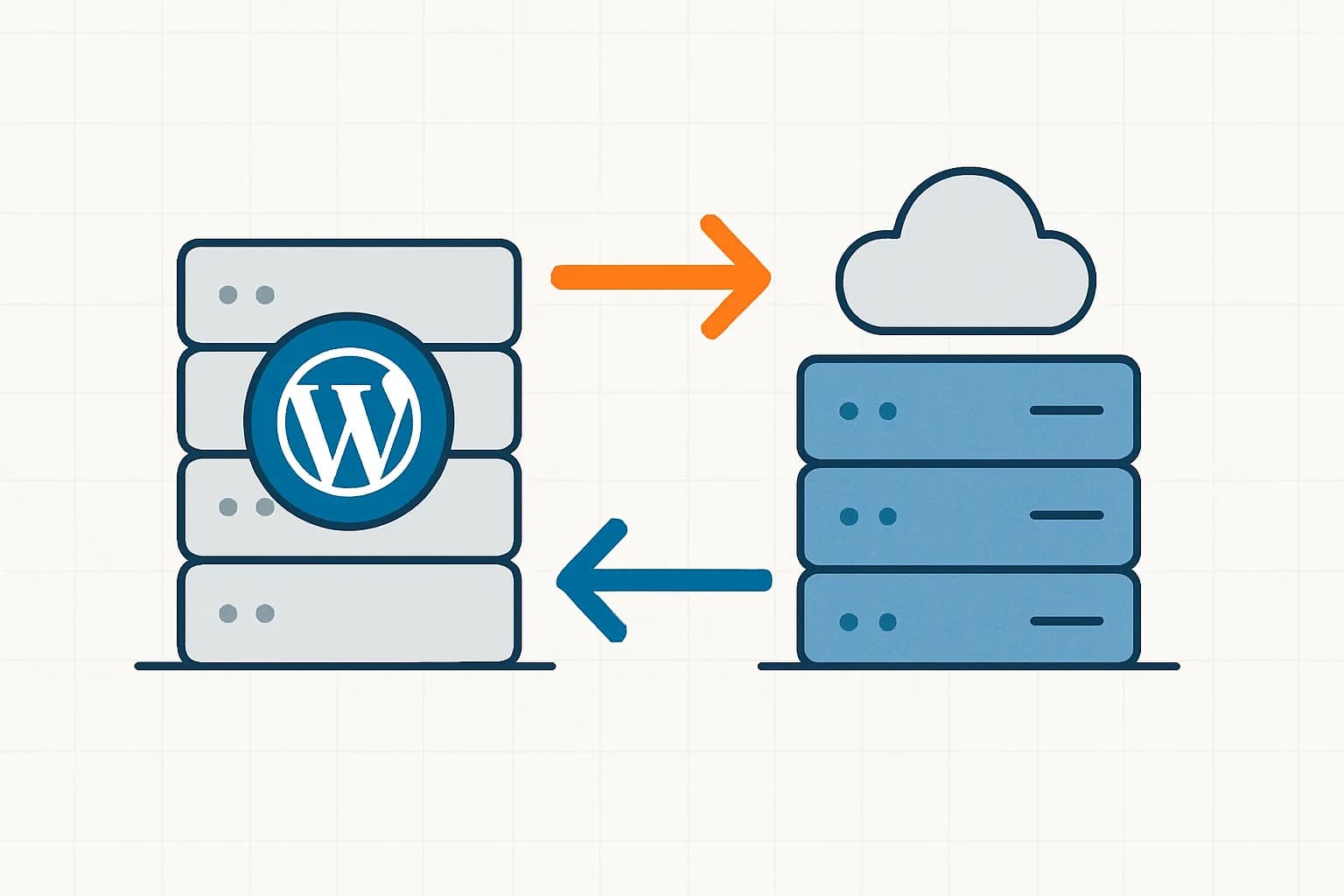
How to Migrate WordPress to Kinsta Manually
Complete guide on how to migrate a WordPress website to Kinsta safely and without downtime. Learn three migration methods: Kinsta's free service, the Migrate Guru plugin, and the manual way.
Reseller Hosting vs Hosting Affiliate Programs: Which is More Profitable?
Compare the reseller hosting business model (cPanel/WHM) vs hosting affiliate programs in terms of margins, operations, risks and traffic requirements. Choose the monetization scheme that suits you best.

RunCloud Review
Complete review of RunCloud, a cloud panel for managing Cloud VPS. Learn about RunCloud's features, performance, price, advantages and disadvantages to help you decide.

Website Maintenance Costs + Case Examples
Complete details of website maintenance costs from the smallest to the largest scale, including DIY options, hiring a developer, and a professional agency, as well as real case examples.