Shared Hosting: Complete Review from A to Z
Review shared hosting in depth. Understand the ins and outs, potential problems, and more.

Welcome to the world of web hosting!
If you're reading this, chances are you're considering shared hosting as the first home for your website. A popular choice, indeed.
But, since reviewing cheap shared hosting since 2016, I can say: shared hosting is like a double-edged sword. It can be your best friend, or a nightmare if not understood properly.
Forget for a moment marketing brochures that promise the moon and stars. Let's dissect shared hosting for what it is, based on practical experience in the field – the good, the bad, and the… well, the frequent ones.
Unpacking the Black Box: What
Actually is Shared Hosting?
In simple terms, shared hosting is when your website “rides” on one large server with hundreds, even thousands, of other websites. The apartment analogy is often used, and it is quite accurate.
You have your own unit (your hosting account), but share the main facilities (CPU, RAM, bandwidth, IP address) with neighbors. For further understanding about what is web hosting in general, you can read it in a separate article.
💡 Deeper Analogy: Imagine an apartment building (server) with one main water pipe (internet connection), one electrical substation (power supply & CPU), and one cooling system (RAM & cooling). All residents (website) use this facility together. If one resident wastes water or electricity, others can be affected. This is the essence of “shared” in shared hosting.
Behind the Scenes: General Shared Hosting Server Architecture
Usually, hosting providers use a combination of software such as:
- Server Operating System: Generally Linux (CentOS, CloudLinux, AlmaLinux).
- Web Server: Apache, Nginx, or LiteSpeed (the latter is increasingly popular due to its performance).
- Database Server: MySQL or MariaDB.
- Control Panel: cPanel (most common), Plesk, or DirectAdmin. This is your “dashboard” for managing hosting. You can learn more about cPanel interface and cPanel guide in our other articles.
- Mail Server: Exim, Postfix.
The crucial thing here is CloudLinux. Many quality providers use it because of its ability to isolate resources between users (called LVE - Lightweight Virtual Environment). This helps prevent one “greedy” website from consuming all resources and disrupting other websites. Without this, shared hosting can be very unstable.
Advantages & Disadvantages: Reality in the Field, Not Theory
Each type of hosting has pluses and minuses. Let's take an honest look at shared hosting.
Undeniable Advantages (and Some Footnotes)
| Advantages | Practical Perspective |
|---|---|
| Super Affordable Prices | This is the main attraction. Suitable for starting with a minimal budget. Note: Low prices often mean denser servers or less responsive support. There is price, there is quality. |
| Easy to Use (Usually) | Control panels like c |
Panel are intuitive. Note: This convenience can backfire if you don't learn the basics. Don't just click without understanding. | | Minimal Technical Maintenance | The provider takes care of server updates, basic security, etc. Note: “Basic” is the keyword. The security of your website remains your responsibility (CMS updates, plugins, themes, strong passwords). | | Technical Support Available | Most providers offer 24/7 support. Note: Support quality varies greatly. Some are fast and solutions, some are like talking to a robot. Review research is key. |
Disadvantages to Watch Out for (Often Ignored by Beginners)
| Disadvantages | Practical Perspective |
|---|---|
| Fluctuating Performance (“Noisy Neighbors”) | This is a classic problem. If a neighboring website suddenly goes viral or is attacked by DDoS, your website could slow down or even go down. CloudLinux helps, but doesn't 100% eliminate the risk. |
| Limited (and Often “Hidden”) Resources | CPU, RAM, I/O, Entry Processes – everything has limits, even though the provider says "unlimited storage/bandwidth". Find out the actual limits (usually found in the Terms of Service or Fair Usage Policy). |
| Limited Server Customization | You cannot install server software carelessly or change the PHP/Apache configuration in depth. This is normal, but it becomes a problem if your website requires a specific environment. |
| Shared Security Risks | If one website on a server is badly hacked, there is potential (although small with good isolation) for it to spread to other websites. Shared IP addresses also mean your IP reputation is affected by neighbors (important for email delivery). |
| Limitation on the Number of Files (Inodes) | This is a common “trap” of “unlimited storage” plans. You may have large storage, but the number of files is limited. Websites with lots of small images or emails can quickly get stuck on inodes. |
Shared Hosting: Who Is It Really For?
Shared hosting is NOT for everyone.
Shared hosting is ID
E
A
L for:
- True Beginner: First personal blog, simple portfolio website, small business introduction website.
- Low & Stable Traffic Projects: Less than 500-1000 unique visitors per day, without major traffic spikes.
- Static or Semi
- Dynamic Websites: Websites that do not require too many database queries or complex server-side processes.
- Very Limited Budget: When every rupiah counts at the start of the journey.
- Learn & Experiment: Try new CMS, learn basic web coding, without major financial risk.
Shared hosting is L
E
S
S ID
E
A
L (or even D
A
N
G
E
R
O
U
S) for:
- Online Store (E-commerce) Seriously: Transactions need more stability and security. Slow performance can kill conversions.
- Websites with High Traffic or Fast Growing: Will quickly hit resource limits.
- Complex Web Applications: Those that require a special environment or large resources.
- Websites that store sensitive data: Even though the provider has security, the level is not as high as VPS or Dedicated.
- Those of you who don't like being "disturbed by neighbors": If 100% stability is a priority, shared hosting is not the answer.
The Art of Choosing a Shared Hosting Provider: More Than Just Cheap Prices
Choosing a provider is important – choosing the wrong one can be a hassle. Here are some practical tips:
- Don't be tempted by fake "unlimited": There is no such thing as unlimited in the world of hosting. There are always hidden limitations. Look for a provider that is transparent about CPU, RAM, Inodes, Entry Processes limits.
- Prioritize Providers with Cloud
Linux (or similar): This is your first bastion from “noisy neighbors”. 3. Check Web Server Type: LiteSpeed is usually superior to Apache for shared hosting because of its efficiency. Nginx as a reverse proxy in front of Apache is also good. 4. Server Location is Important: Choose a server location closest to your target audience for faster loading. 5. Uptime Guarantee & S
LA: Look for a minimum of 99.9%. Read their Service Level Agreement (SLA) – what is the compensation if uptime is below promise? 6. Backup Policy: How often do they backup? Can you restore it yourself? Is there an additional fee for restoration? 7. Quality of Support: This is CRUCIAL. Try contacting their pre-sales support with technical questions. See how fast and competent the response is. Read reviews from other users about support. 8. Trial Period & Money Back Guarantee: Confident providers usually offer this. Use it for testing. 9. Avoid Long Term Contracts in the Beginning: Don't be tempted by big discounts for 2-3 year contracts if you are not yet sure. Try a monthly or annual package first.
- 0. Read reviews from trusted sources: Don't just come from websitesproviders. Search forums, independent blogs, community groups.
⚠️ Common Marketing Pitfalls: * “Free Domain for Life”: Usually the domain belongs to the provider, or there are hidden conditions during the transfer. Also learn tips for choosing a good domain name.
-
”Unlimited Websites”: Technically possible, but server resources remain the same. The more websites, the slower everything becomes.
-
Crazy Discount for First Year: Pay attention to the renewal price. Often increases drastically.
Website Optimization on Shared Hosting: Creativity within Limitations
Shared hosting is limited, but that doesn't mean your website has to be slow. Here are some effective strategies:
- Caching is King:
- Browser Caching: Make use of the
Expiresand `Cache
- Browser Caching: Make use of the
- Control
via.htaccess` headers.- Page Caching: If you use WordPress, a plugin such as LiteSpeed Cache (if the server uses LiteSpeed), WP Rocket (paid), or WP Super Cache (free) is mandatory.
- Object Caching (if supported): Redis or Memcached can be very helpful in reducing database queries, but are rarely available on cheap shared hosting.
- Merciless Image Optimization: Images are the number one killer of loading time. Compress! Use WebP format whenever possible. Lazy load images.
- Minify CSS, JavaScript, HTML: Reduce file size by removing unnecessary characters.
- Use a Content Delivery Network (C
D
N): Cloudflare (the free plan is very good) can distribute your website's static assets to servers around the world, reducing the load on the main server and speeding up loading for global visitors. 5. Choose a Lightweight Theme & Plugins: Especially WordPress users. Avoid heavy “all in” themes. Disable unnecessary plugins. 6. Database Optimization: Clean the database regularly (post revisions, transients, comment spam). Table optimization. 7. Limit External Scripts: Any third-party scripts (fonts, analytics, ads) add additional HTTP requests and potential slowdowns. 8. Use the Latest (Stable) P
H
P Version: Newer PHP versions are usually faster and more secure. Check inYour cPanel . 9. Monitor Resource Usage: cPanel usually has features to view CPU, RAM, I/O usage. If it often gets stuck, it's a sign that further optimization or upgrading is needed.
Danger Signals: When to Leave Shared Hosting?
All successful websites will eventually “graduate” from shared hosting. Recognize the signs before your website suffers:
- Website is often slow or down: This is the most obvious sign. If optimization is optimal but the problem persists, your server is no longer strong.
- Often hit by resource limits: Notifications from providers about CPU, RAM or Entry Processes being overlimited.
- Traffic Increases Rapidly: Congratulations! But shared hosting may no longer be able to handle the surge in visitors.
- Need Further Server Customization: Need to install certain PHP modules, server software, or configurations that are not permitted on shared hosting.
- Security is a Top Priority: Your website stores sensitive data or is the target of attacks. Shared hosting has inherent risks.
- Poor Email Deliverability: If emails from your domain often end up in spam, it may be due to a bad shared IP reputation.
- Providers are starting to be "stingy": support is getting worse, restrictions are getting tighter, prices are rising without improving service.
If you experience some of the points above, it's time to look at VPS (Virtual Private Server) or Managed WordPress Hosting as the next step. You can read more about Hosting Types for comparison.
Conclusion: Shared
Hosting is the First Step, Not the Final Destination
Shared hosting is a great foundation to start with. The cheap price and convenience make it possible for anyone to have a website. But, like any foundation, it has capacity limits. Understand how it works, choose providers wisely, optimize as much as possible, and most importantly, know when to move to the next level.
Hopefully this guide gives you a deeper perspective and helps you make the best decisions for your online journey. The world of the web is vast and ever-changing – happy browsing!

Willya Randika
Hi, saya Randika, seorang Web Developer yang spesialis di WordPress, Astro, dan Next.js. Sejak 2015, saya telah membantu ratusan bisnis dan profesional membangun website yang tidak hanya cepat dan aman, tapi juga mudah ditemukan di Google dan efektif mengkonversi pengunjung menjadi pelanggan.
Related Articles

3 Best Uptime Monitoring Services
Review and comparison of the 3 best uptime monitoring services. Find free and paid website monitoring tools with full features to ensure your website is always online.
just.hosting: Global VPS with 20 Years of Experience
International VPS provider serving 329,000+ clients in 40 countries with a focus on flexibility, performance and competitive pricing
How to Create a Web Application Without Coding for Online Business
Complete tutorial on how to create a web application without coding for online business, starting from planning, creating, and putting the application online.
Hostinger: Global Infrastructure, Local Touch
The hosting platform that serves 5 million users in 150+ countries is now present with full commitment to the Indonesian market.

Cloudways Review
A complete review of Cloudways, a popular managed cloud hosting platform, discussing its advantages and disadvantages as well as how it compares to other providers. Suitable for beginners to developers.
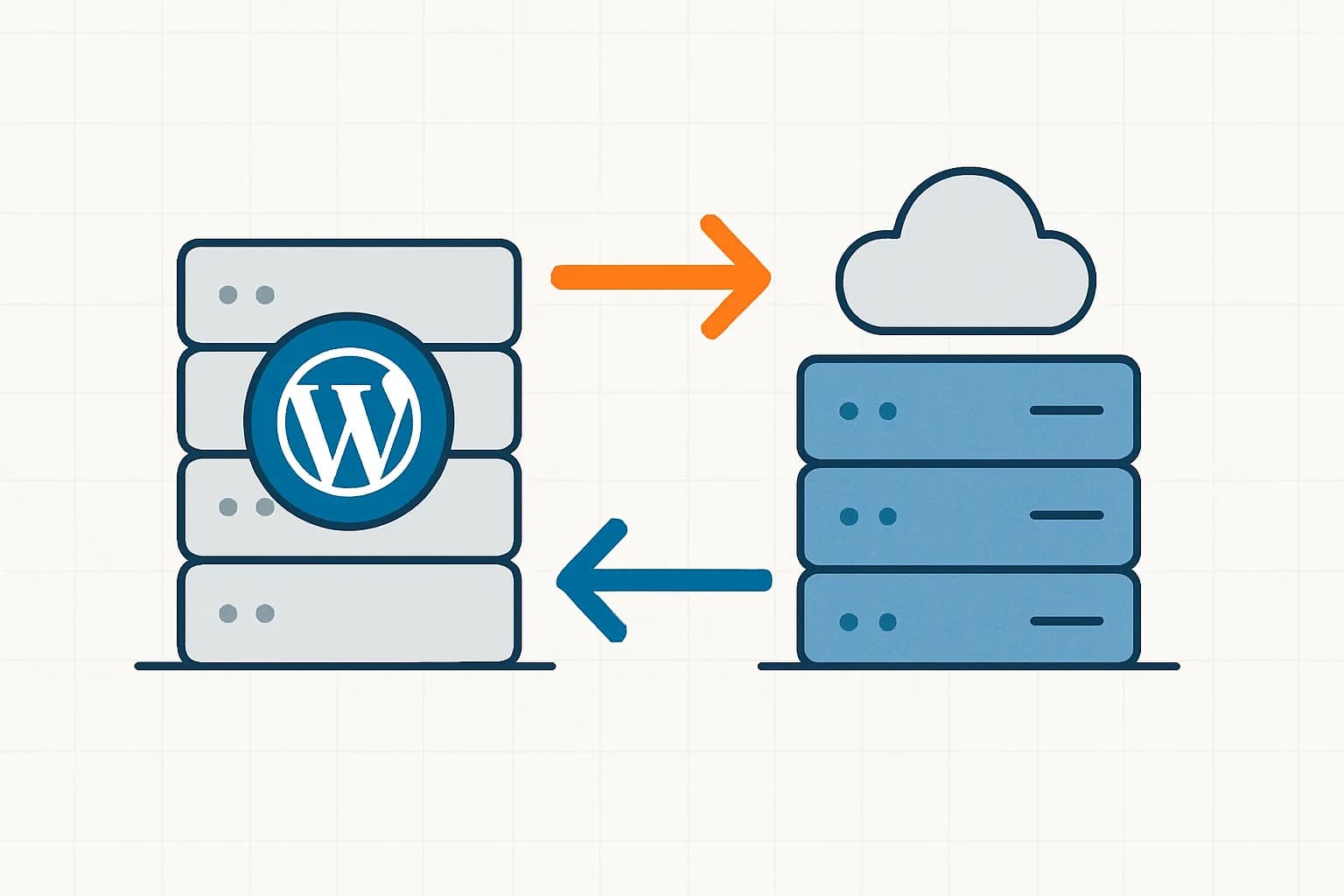
How to Migrate WordPress to Kinsta Manually
Complete guide on how to migrate a WordPress website to Kinsta safely and without downtime. Learn three migration methods: Kinsta's free service, the Migrate Guru plugin, and the manual way.
Reseller Hosting vs Hosting Affiliate Programs: Which is More Profitable?
Compare the reseller hosting business model (cPanel/WHM) vs hosting affiliate programs in terms of margins, operations, risks and traffic requirements. Choose the monetization scheme that suits you best.

RunCloud Review
Complete review of RunCloud, a cloud panel for managing Cloud VPS. Learn about RunCloud's features, performance, price, advantages and disadvantages to help you decide.

Website Maintenance Costs + Case Examples
Complete details of website maintenance costs from the smallest to the largest scale, including DIY options, hiring a developer, and a professional agency, as well as real case examples.