Types of Web Hosting
Learn the differences between Shared Hosting, VPS, Dedicated Server, and Cloud Hosting. Complete guide to choosing the type of hosting that best suits your website needs.
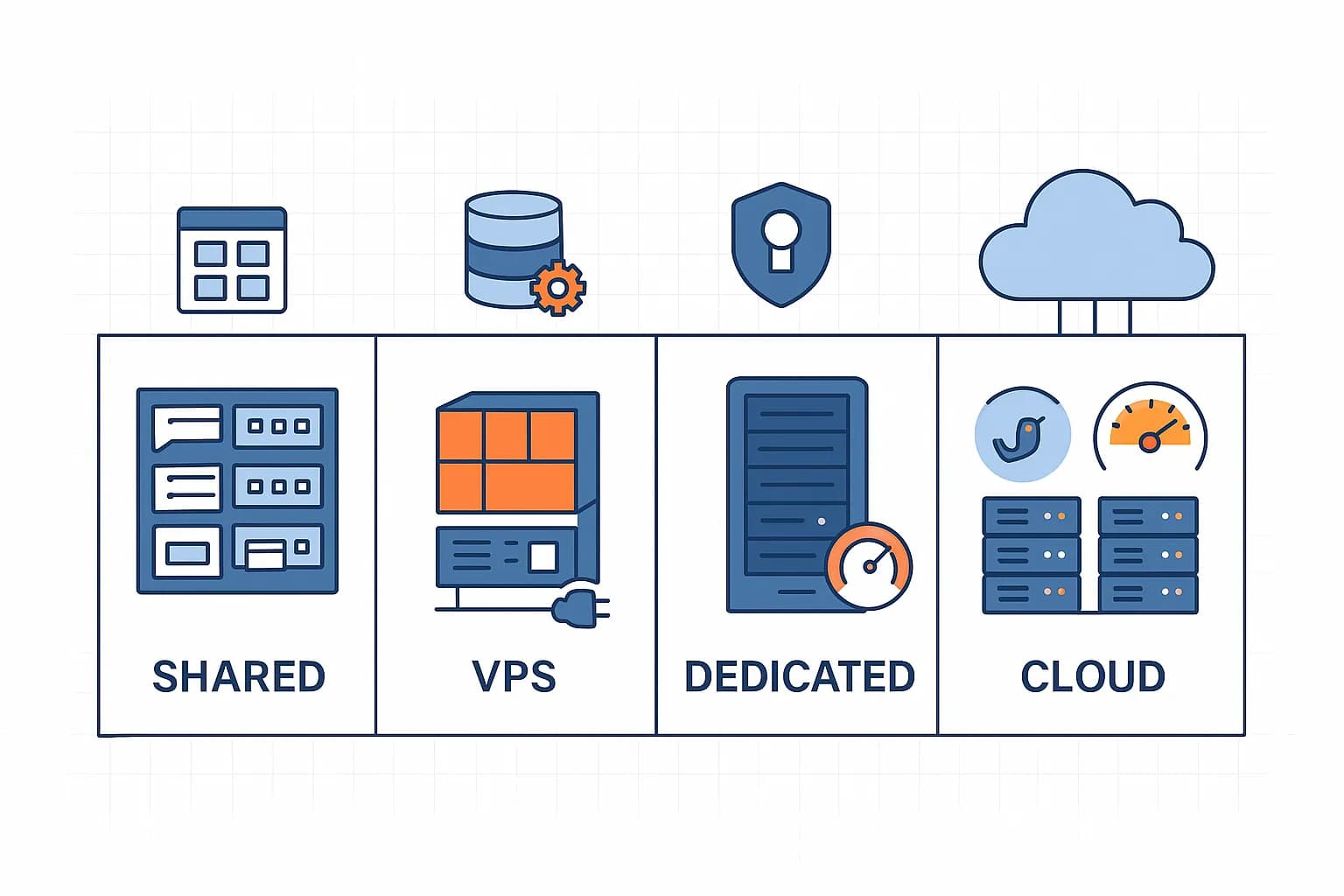
Introduction: Understanding Different Types of Web Hosting
In previous chapter, we have studied the basic concepts of web hosting and why you need it. Now, let's discuss the various types of web hosting available in the market.
In 2025, the web hosting ecosystem has evolved rapidly with a variety of options tailored to specific needs. In general, there are four main types of web hosting:
- Shared Hosting - An economical solution where many websites share one server
- Virtual Private Server (VPS) - An isolated virtual server environment
- Dedicated Server Hosting - A physical server dedicated to a single user
- Cloud Hosting - Hosting based on a distributed server network
Although all of these types of hosting function as storage for your website files, they have significant differences in terms of:
- Prices and fee structure
- Performance and speed
- Scalability and flexibility
- Level of control over the server
- Security and isolation
- Requirement of technical knowledge
- Support and management
Let's discuss each hosting type in depth to help you choose the solution that best suits your website's needs.
1. Shared Hosting
| Category | Details |
|---|---|
| Cost | 💰 Economical |
| Performance | ⚡ Basics |
| Security | 🔒 Standard |
| Technical Knowledge | 🧠 Minimal |
| Server Control | 🎮 Limited |
| 2025 Average Price | IDR 20,000 – IDR 150,000/month |
2025 Average Price: Rp. 20,000 - Rp. 150,000/month
What is Shared Hosting?
Shared hosting is the most basic type of hosting service, cheapest hosting and economical where one physical server is used to host many different websites. As the name suggests, server resources (CPU, RAM, storage, and bandwidth) are shared or "shared" among all users on the server.
💡 Simple Analogy: Think of shared hosting like an apartment. You rent a unit in a large building, sharing common facilities (such as elevators, lobby, and security) with other residents. Rental costs are cheaper, but your space and privacy are limited.
How Shared Hosting Works
In shared hosting, the hosting provider configures the server with the required operating system and software, then divides the server resources among multiple users. Every user gets:
-
Disk space allocated for website files
-
Control panel (usually cPanel, Plesk, or DirectAdmin) to manage hosting
-
Email address with custom domain
-
Database for storing dynamic content
-
Support for various CMS like WordPress, Joomla, etc.
The hosting provider takes full responsibility for server maintenance, security and software updates.
Advantages of Shared Hosting
1. Affordable Prices
Shared hosting is the most economical option, with prices starting from IDR 20,000/month in Indonesia. This makes it an ideal choice for startups and small businesses on a limited budget.
2. Easy to Use
Does not require deep technical knowledge. The intuitive control panel makes it easy for you to:
- Install web applications with one click
- Manage email and database
- Uploading website files
- Set domains and subdomains
3. Fully Managed Management
The hosting provider takes care of all technical aspects:
- Server maintenance
- Security update
- Regular backups
- Uptime monitoring
- 24/7 technical support
4. All-in-One Feature
Modern shared hosting plans in 2025 typically include:
- Free SSL
- Integrated CDN
- Automatic backup
- One-click WordPress installation
- Email hosting
Disadvantages of Shared Hosting
1. Limited Resources
Because you share the server with many other users, you have limited access to the server's resources. This may cause:
- Slower loading speed when traffic is high
- Limitation on the number of visitors that can be served
- Limitations on CPU and RAM usage
2. Bad Neighbor Effect
If other users on the same server use too many resources (for example due to high traffic or inefficient code), this can affect your website's performance. This is known as the “bad neighbor effect”.
3. Customization Limitations
You have limited control over the server environment:
- Cannot install custom software
- Limited to predefined server configurations
- Cannot change low level server settings
4. Less Security
Sharing a server with many other users can increase security risks. If one website on a server is affected by malware, there is a risk of it spreading to other websites.
Who is Suitable for Using Shared Hosting?
Shared hosting is ideal for:
- Starter Website - Personal blog, portfolio, or hobby website
- Small Business - Company websites with low to medium traffic
- Small Online Store - E-commerce with limited inventory and traffic
- Non
- Profit Organization Website - On a limited budget
- Educational Website - For small schools or educational projects
In general, shared hosting is suitable for websites with monthly traffic of less than 10,000 visitors.
Recommendations for the Best Shared Hosting Providers 2025
Based on performance, features, and value, here are some of the best shared hosting providers in Indonesia in 2025:
⚠️ Tips for Choosing Shared Hosting: When choosing shared hosting, pay attention not only to price but also to the ratio of users per server, uptime guarantee, backup policy, and quality of customer support. Cheap providers often sacrifice quality by placing too many users on one server.
2. Virtual Private Server (VPS)
| Category | Details |
|---|---|
| Cost | 💰💰 Intermediate |
| Performance | ⚡⚡⚡ Height |
| Security 🔒🔒🔒 | Good Technical Knowledge 🧠🧠 Intermediate–High Server Control 🎮🎮🎮🎮 Almost Full 2025 Average Price: Rp. 100,000 - Rp. 1,000,000/month |
What is a Virtual Private Server (VPS)?
VPS is a hosting solution where a single physical server is divided into multiple isolated virtual servers. While still sharing the same physical hardware as other users, each VPS functions as an independent server with guaranteed and isolated resources.
💡 Simple Analogy: If shared hosting is like an apartment, VPS is like a townhouse. You're still in a complex with other people, but have a separate unit with its own walls, private entrance, and the freedom to decorate the interior as you see fit.
How VPS Works
VPS uses virtualization technology to divide a single physical server into several isolated virtual environments. Each VPS:
- Have guaranteed resources - specially allocated CPU, RAM, storage and bandwidth
- Runs on own operating system - Usually Linux (Ubuntu, CentOS, Debian) or Windows Server
- Fully isolated from other VPS on the same server
- Have root/administrator access - Provides full control over the server environment
Commonly used virtualization technologies include KVM, Xen, OpenVZ, and VMware, with KVM becoming the industry standard by 2025 due to its superior security and performance.
Two Main Types of VPS
VPS are divided into two main categories based on management level:
1. Unmanaged VPS
Unmanaged VPS is a “do-it-yourself” option where:
- You are solely responsible for all aspects of server management
- Provider only warrants hardware and network connectivity
- You must install and configure all software (operating system, web server, database, etc.)
- You handle all security updates and maintenance
Unmanaged VPS is ideal for users with strong technical knowledge who want maximum control at lower costs.
2. Managed VPS
Managed VPS offers an experience more similar to shared hosting, but with better performance:
- The provider handles server installation, configuration, and maintenance
- Control panels (cPanel, Plesk, etc.) are usually included
- Automatic security updates and 24/7 server monitoring
- High level technical support for server issuesManaged VPS is ideal for businesses that need high performance but don't have the technical expertise in-house.
Advantages of VPS
1. Predictable Performance
- Guaranteed resources that are not affected by other users
- Faster and more consistent page loading times
- Ability to handle traffic spikes without downtime
2. Flexible Scalability
- Easily upgrade resources (CPU, RAM, storage) as needed
- Many providers offer vertical scalability with no downtime by 2025
- Option to migrate to larger servers as business grows
3. Enhanced Security
- Full isolation from other users on the same server
- Ability to implement custom security policies
- Custom firewall and DDoS protection options
4. Control and Customization
- Full root/administrator access
- Freedom to install any necessary software
- Ability to configure servers according to specific needs
Disadvantages of VPS
1. Higher Costs
- Prices are more expensive than shared hosting
- Additional fees for software licenses and additional services
- Potential unexpected costs for scalability
2. Technical Complexity
- Requires deeper server and network knowledge
- Steep learning curve for non-technical users
- Responsibility for security and maintenance (for unmanaged VPS)
3. Hardware Limitations
- Still share physical hardware with other users
- Potential “noisy neighbor” problem at the hardware level
- Not as reliable as a dedicated server for very intensive applications
Who is Suitable for Using VPS?
VPS is ideal for:* Medium Business Website - With monthly traffic of 50,000-500,000 visitors
- Growing Online Store - With a larger product catalog and increased traffic
- Web Applications - SaaS, business applications, or custom platforms
- Game Server - For online games with a moderate number of players
- Development Environment - For software development teams
- Email Server - For businesses that need a reliable email solution
Recommendations for the Best VPS Providers 2025
Unmanaged VPS
- Best interface with complete documentation
- Linode (now part of Akamai) - Best performance and reliability
- Vultr - Most global server location options
- Hetzner Cloud - Best value for money in Europe
💡 VPS Tips 2025: In 2025, consider NVMe-based VPS that offer disk I/O speeds up to 10x faster than standard SSDs. Also, look for a provider that offers a 10Gbps network and support for HTTP/3 for optimal web performance.
3. Dedicated Server Hosting Category Details ----------------------- ------------------------------------ Cost 💰💰💰💰💰 Very High Performance ⚡⚡⚡⚡⚡ Maximum Security 🔒🔒🔒🔒🔒 Maximum Technical Knowledge 🧠🧠🧠🧠 Height Server Control 🎮🎮🎮🎮🎮 Full Average Price 2025: Rp. 1,500,000 - Rp. 15,000,000/month
What is Dedicated Server Hosting?
Dedicated server hosting is a premium hosting solution where an entire physical server is dedicated exclusively to a single user or organization. Unlike shared hosting or VPS, there is no sharing of resources with other users- the entire server capacity is available to you.
💡 Simple Analogy: If shared hosting is like an apartment and VPS is like a townhouse, a dedicated server is like a stand-alone luxury house. You have the entire property to yourself, with complete freedom to modify, renovate and use it as you see fit.
How Dedicated Servers WorkWith a dedicated server, you rent an entire physical machine that is placed in the hosting provider's data center. This includes:
- Exclusive hardware - Processor, RAM, storage and other components are used only by you
- Network connectivity - High-speed internet connection with large bandwidth
- Supporting infrastructure - Cooling, power supply and physical security
- Preferred operating system - Typically Linux or Windows ServerThe hosting provider is responsible for hardware availability and network connectivity, while the level of software and application management varies depending on the type of service (managed or unmanaged).
Types of Dedicated Servers
1. Unmanaged Dedicated Server
- You are solely responsible for server administration
- The provider only guarantees hardware and connectivity
- Requires internal IT team or server administrator
- Lower costs but greater responsibility
2. Managed Dedicated Server
- The provider handles basic server maintenance
- Includes monitoring, security updates, and backups* 24/7 high level technical support
- Higher costs but reduces administrative burden
3. Fully Managed Dedicated Server
- End-to-end management by provider
- Includes performance optimization, security hardening, and troubleshooting
- Special application and service support* “Hands-off” solution at a premium cost
Advantages of Dedicated Servers
1. Maximum Performance
- No competition for CPU, RAM, or disk I/O resources
- Ability to handle high traffic and intensive workloads
- Consistent response times even during peak periods
- Dedicated network throughput
2. High Level Security
- Total physical isolation from other users
- No risk of “bad neighbors” or shared vulnerabilities
- Ability to apply custom security policies
- Options for advanced disk encryption and network security
3. Full Customization
- Freedom to configure hardware and software
- Ability to optimize servers for specific needs
- Flexibility to run custom applications or services
- Full control over the server environment
4. Hardware Scalability
- Ability to upgrade physical components as needed
- Option to add storage, RAM or processor
- Possibility for RAID configuration and redundancy
- Hardware upgrade without complete migration
Disadvantages of Dedicated Servers
1. High Costs
- Significant investment with prices starting from millions of rupiah per month
- Additional fees for software and service licenses
- Potential costs for server administrators or IT teams
- Lower ROI for low traffic websites
2. Technical Complexity
- Requires in-depth technical knowledge
- Responsibility for server security and maintenance
- Steep learning curve for new administrators
- The need for proactive monitoring and management
3. Management Responsibilities
- The need to handle backup and disaster recovery
- Responsibility for updates and security patches
- Troubleshooting and routine maintenance
- The need for a long-term scalability strategy
Who is Suitable for Using Dedicated Servers?
Dedicated servers are ideal for:* High Traffic Websites - News portals, marketplaces, or sites with millions of monthly visitors
- Critical Business Applications - Systems that require maximum uptime and performance
- Big E-commerce - Online stores with thousands of products and high transactions
- Game Server - For online games with thousands of simultaneous players
- Database Intensive Applications - Systems with complex database operations and large data volumes
- Financial Services - Banks, fintech or applications that require a high level of security
- Health Services - Systems that store sensitive patient data (PHI)
⚠️ Important Considerations: Before investing in a dedicated server, conduct a thorough needs analysis and consider the total cost of ownership (TCO), including hardware costs, software licensing, administration, and maintenance. For many cases, modern cloud solutions may offer greater flexibility at more predictable costs.
4. Cloud Hosting Category Details ------------------------ --------------------------------- Cost 💰💰💰 Pay-as-you-go Performance ⚡⚡⚡⚡ Very Good Security 🔒🔒🔒🔒 Very Good Technical Knowledge 🧠🧠🧠 Intermediate Scalability 📈📈📈📈📈 Maximum Average Price 2025: Rp. 300,000 - Rp. 5,000,000/month (depending on usage)
What is Cloud Hosting?
Cloud hosting is a modern hosting model where your website or application is hosted on a network of connected virtual servers instead of a single physical server. Computing resources are distributed across a network of servers, enabling scalability, redundancy, and high availability.
💡 Simple Analogy: If a dedicated server is like having one big car, cloud hosting is like having access to a fleet of cars that you can use as needed. You can use a small car when traveling alone, or several cars when you need to transport a lot of people.
How Cloud Hosting Works
Cloud hosting operates on the principles of virtualization and resource distribution:
- Distributed Infrastructure - Applications run on many connected virtual servers
- Virtualization - Physical resources are abstracted into virtual resource pools
- Orchestration - An automated system distributes the workload across the network
- Redundancy - Data and applications are replicated across multiple locations for high availabilityWhen there is a traffic spike, the system automatically allocates more resources. When traffic decreases, resources are reduced to save costs.
Cloud Hosting Deployment Model
1. Public Cloud
- Infrastructure is owned and operated by the cloud service provider
- Resources are shared among multiple customers
- Examples: AWS, Google Cloud, Microsoft Azure
2. Private Cloud
- Infrastructure dedicated to one organization
- Greater security and control
- Usually used by large companies or highly regulated industries
3. Hybrid Cloud
- Combination of public and private clouds
- Flexibility to move workloads between environments
- Balance between cost, performance and security
4. Multi
- Cloud
- Using services from multiple cloud providers
- Avoid dependence on one vendor
- Optimize costs and performance
Advantages of Cloud Hosting
1. Unlimited Scalability
- Ability to increase or decrease resources instantly
- Handle traffic spikes without downtime
- Pay only for the resources used
2. High Availability
- Uptime up to 99.99% with strict SLAs
- Built-in redundancy across multiple availability zones
- Automatic disaster recovery
3. Global Performance
- Integrated Content Delivery Network (CDN).
- Edge servers worldwide
- Low latency for global visitors
4. Advanced Security
- Network level DDoS protection
- Data encryption in storage and transit
- Automatic security updates
5. Cost Flexibility
- Pay-as-you-go model
- No upfront hardware costs
- Ability to optimize costs based on usage
Disadvantages of Cloud Hosting
1. Complex Fee Structure
- Difficult to predict monthly costs
- Potential unexpected costs when traffic spikes *Additional bandwidth and storage costs
2. Dependency on Provider
- Potential vendor lock-in
- Dependence on the availability of the provider's services
- Challenges of migration between providers
3. Management Complexity
- Learning curve for cloud platforms
- Many services and configuration options
- The need for continuous monitoring and optimization
4. Compliance Issues
- Challenges in meeting certain regulatory requirements
- Data location limitations in some industries
- Complexity of security audits
Who is Suitable for Using Cloud Hosting?
Cloud hosting is ideal for:* Startups and Growing Businesses - Which require scalability as they grow
- E-commerce with Fluctuating Traffic - That experiences spikes during promotions or holiday seasons
- SaaS applications - Which require high availability and global reach
- Variable Budget Projects - Who prefer an operating cost model vs. a variable budget model? capital
- Modern Applications - Built with microservices or serverless architecture
- Businesses with Changing Needs - Which require the flexibility to experiment
Recommendations for the Best Cloud Hosting Providers 2025
Public Cloud Providers
- Amazon Web Services (AWS) - Most comprehensive services ecosystem
- Google Cloud Platform (GCP) - Best network performance
- Microsoft Azure - Best integration with Microsoft products
- DigitalOcean - The simplest interface for beginners
Managed Cloud Hosting
- Cloudways - Best managed platform for DigitalOcean/Vultr/Linode
- Kinsta - Best Managed WordPress VPS
- RunCloud - Best server management panel for VPS
💡 Cloud Hosting Trends 2025: In 2025, the adoption of serverless and container architecture will increase. Consider services like AWS Lambda, Google Cloud Functions, or Azure Functions for modern applications that can scale automatically without infrastructure management.
Comparison of Web Hosting Types
| Feature | Shared Hosting | VPS | Dedicated Servers | Cloud Hosting |
|---|---|---|---|---|
| Price | IDR 20K-150K/month | IDR 100K-1M/month | IDR 1.5M-15M/month | IDR 300K-5M/month |
| Performance | Basic | High | Maximum | Very good |
| Scalability | Limited | Intermediate | Limited | Unlimited |
| Security | Basic | Good | Very good | Very good |
| Technical knowledge | Minimum | Medium-high | High | Intermediate |
| Control | Limited | Almost full | Full | Varies |
| Suitable for | Blog, small website | Medium business | Enterprise, large e-commerce | Startup, scalable application |
Conclusion
Understanding the different types of web hosting is an important step in building a successful online presence. Each type of hosting has advantages and disadvantages that need to be considered based on your specific needs.
- Shared Hosting is ideal for beginners and small websites on a limited budget
- VPS offers a good balance of performance, control, and cost
- Dedicated Server provides maximum performance and security for large websites
- Cloud Hosting offers scalability and flexibility for growing businesses
In 2025, hosting trends continue to evolve with a focus on performance, security and scalability. Technologies such as containerization, serverless computing, and edge computing are increasingly changing the web hosting landscape.
Remember that your hosting needs may change as your website grows. Start with a solution that fits current needs, but choose a provider that offers a clear upgrade path for the future.