Differences between Reseller Hosting, Shared Hosting, and VPS Hosting
Compare shared hosting, reseller hosting (cPanel/WHM), and VPS in terms of control, performance, costs, and usage scenarios. Find the right choice for your business/website needs and plans.
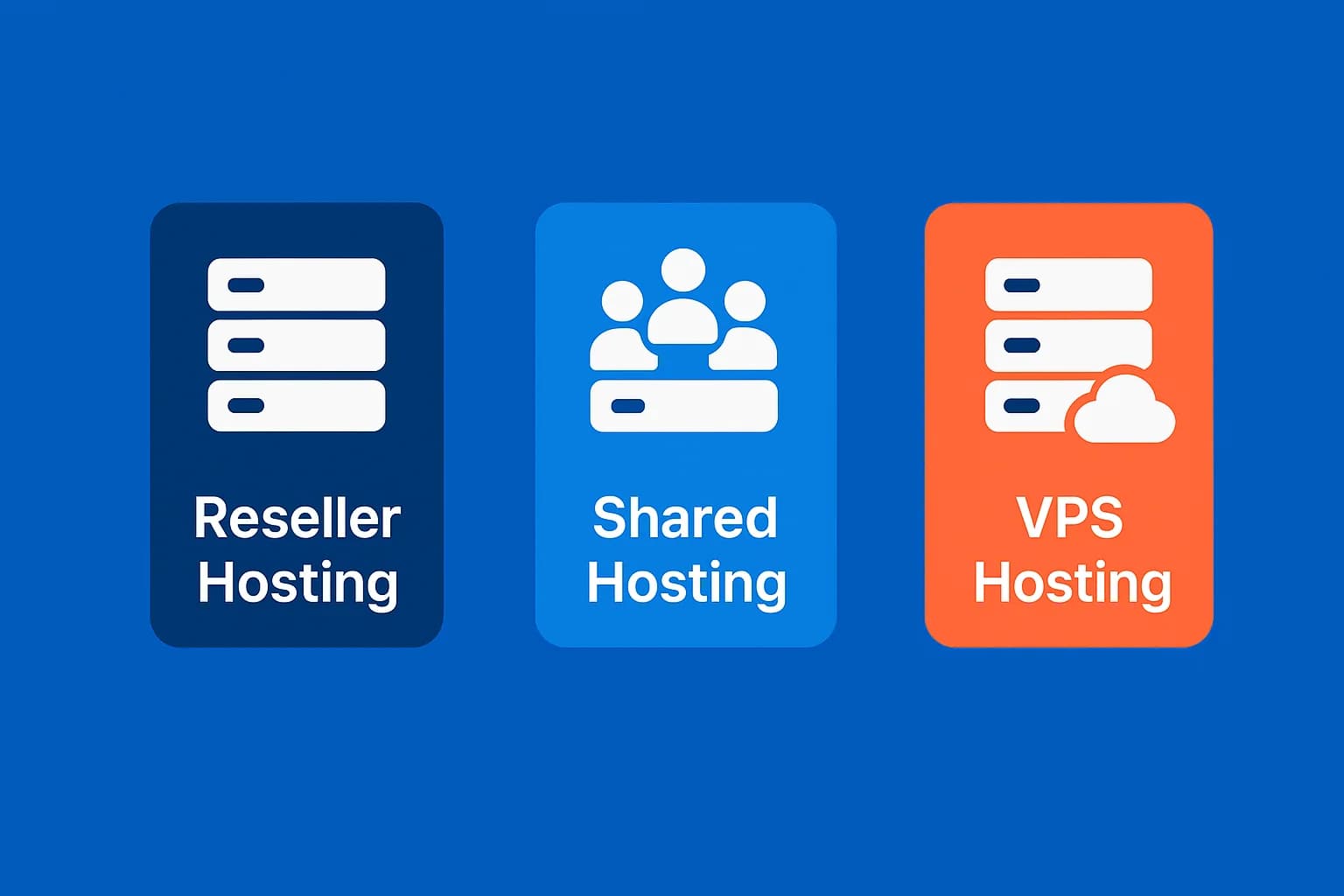
Confused about choosing between shared hosting, reseller hosting (cPanel/WHM), or VPS? This guide dissects the key differences—from levels of control, isolation, performance, to operational load—so you can choose with confidence.
For basic understanding, read the introduction:
Summary in One Table
| Aspect | Shared Hosting | Reseller Hosting (cPanel/WHM) | VPS Hosting |
|---|---|---|---|
| Control | Limited to your account via cPanel | WHM to create/manage multiple cPanel accounts | Server root/admin (according to package & management) |
| Isolation | Server sharing; restricted CloudLinux/LVE | Separate client accounts (cPanel per client) | Isolated virtual machines |
| Performance | Base; affected by “noisy neighbors” | Depends on the host server & provider policy | High & can be optimized |
| Scalability | Limited | Scale the number of accounts/packages | Increase vCPU/RAM/disk as needed |
| Operational Expenses | Very low | Intermediate (billing, support, provisioning) | High (install, hardening, monitoring) |
| When is it Appropriate | Beginner/low traffic website | Selling white label hosting packages | Applications/websites need performance & flexibility |
Brief Definition & Relationship
-
Shared hosting — One server is used by multiple accounts; control via cPanel. Read the introduction: Types of Web Hosting.
-
Reseller hosting (cPanel/WHM) — You have WHM access to create multiple separate cPanel accounts for clients. Read: What is cPanel/WHM Reseller?.
-
VPS Hosting — Isolated virtual servers with high control. Context: Types of Web Hosting.
When to Choose Each
-
Choose Shared Hosting if:
- Personal website, business profile, beginner blog.
- Limited budget and no need for server customization.
- Want to focus on content, not technical. Reference: Web Hosting Guide.
-
Choose Reseller Hosting if:
- Want to sell white label hosting packages to clients.
- Freelancers/agencies who want to bundle hosting + website services.
- Ready to manage billing/provisioning (optionally use WHMCS). Read: cPanel Guide.
-
Choose VPS Hosting if:
- Need better performance/isolation and server customization.
- Applications/websites grow fast, need scalability.
- Have server administration skills, or use managed services.
Cost vs Control: A Common Trade-off
| Aspect | Shared | Resellers | VPS |
|---|---|---|---|
| Monthly Fees | Cheapest | Medium (depending on capacity & license) | Highest |
| Control & Flexibility | Low | Intermediate (packages, accounts, branding) | High (root/admin) |
| Operational Expenses | Low | Intermediate | Height |
Important Technical Considerations
- CloudLinux limits (CPU/RAM/IO/EP/Inodes) on shared/reseller maintain shared server stability. If you often get stuck, consider optimizing or upgrading.
- Email & IP reputation on shared/resellers can be affected by neighbors. View settings & practices at cPanel Email.
- Private nameservers & white-label at resellers strengthens the brand (e.g.
ns1.brandanda.com). - Security & hardening on the VPS is your responsibility (or use a managed service).
Just starting to sell hosting? First learn What Is cPanel/WHM Reseller Hosting and prepare client onboarding materials from cPanel Guide.
Recommended Next Steps
-
Compare options in Reseller Hosting Directory Hosting Reseller Directory.
-
Understand the basic concepts in Web Hosting Guide and Web Hosting Types.
-
If needs grow, evaluate gradual upgrade: Shared → Reseller/VPS.
- Important Terms in Reseller Hosting: Overselling, WHMCS, White Label, and Others — the terms that separate reseller from shared and VPS.

Willya Randika
Hi, saya Randika, seorang Web Developer yang spesialis di WordPress, Astro, dan Next.js. Sejak 2015, saya telah membantu ratusan bisnis dan profesional membangun website yang tidak hanya cepat dan aman, tapi juga mudah ditemukan di Google dan efektif mengkonversi pengunjung menjadi pelanggan.
Comments
Checking session…
No comments yet. Be the first to comment!
Related Articles

Features that are a Must in the Best Cheap Hosting Services
Many cheap hosting providers offer low prices, but not all of them provide the important features that they should have. This article discusses 8 mandatory features that must be included in a quality cheap hosting package.

Important Terms in Reseller Hosting: Overselling, WHMCS, White Label, and Others
Glossary of key terms that must be understood when starting a cPanel/WHM based reseller hosting business: overselling, WHMCS, white label, private nameservers, CloudLinux limits, SLA, and others.

Is Cheap Hosting Suitable for Online Stores/WooCommerce?
Many people think that WooCommerce requires expensive hosting, even though with an efficient setup, even cheap hosting can be enough for small to medium online stores.
WordPress to Cloudways Migration Tutorial
Complete guide on how to easily migrate a WordPress website to Cloudways. Learn the migration steps using the Cloudways WordPress Migrator plugin and DNS configuration

Is Unlimited Hosting Really Unlimited?
The term 'unlimited hosting' often sounds attractive, but is it really unlimited? This article reveals how hosting providers implement hidden restrictions behind unlimited claims.

Case Study: Average Uptime in 2020
Hosting Advisor researched 18 Indonesian hosting providers for 17 months in 2020, revealing the fact that the average hosting server uptime was still far below guarantee.
Kenceng Solusindo Review
Kenceng Solusindo offers the fastest server response in load tests and excellent support, with fair pricing, but lacks a refund guarantee and has limited backup features.

Shared Hosting: Complete Review from A to Z
The complete shared hosting picture: server architecture, honest pros and cons, choosing a provider, optimization within limits, and exit signals.
How to Migrate WordPress to Kinsta Manually
Complete guide on how to migrate a WordPress website to Kinsta safely and without downtime. Learn three migration methods: Kinsta's free service, the Migrate Guru plugin, and the manual way.