How to Make Your Own Website: Complete Guide
A beginner's guide to building your own website without a developer: platform choice, domain, hosting, up to your first published page.
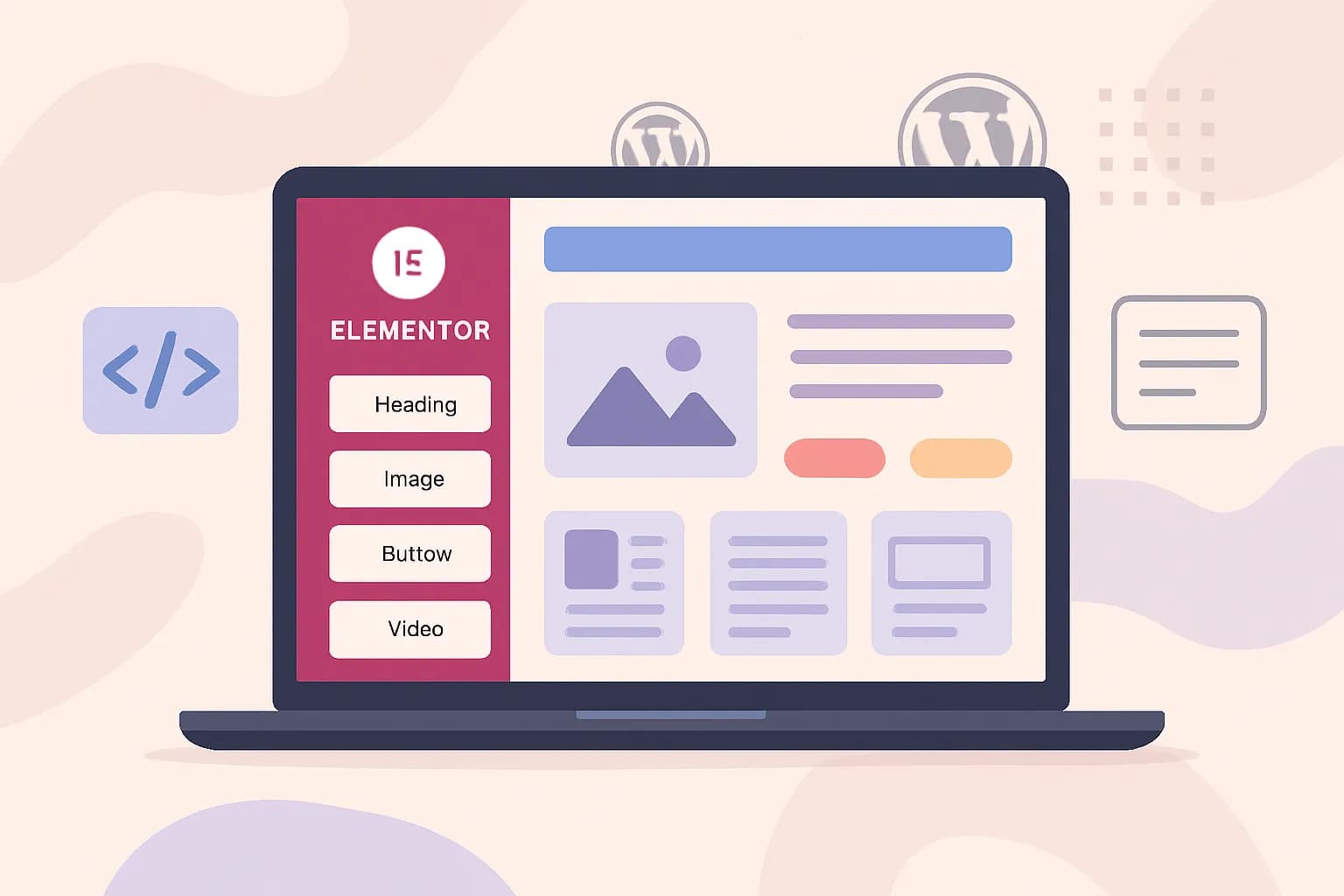
I wrote this guide on how to create a website to help beginners who want to learn to create their own website without needing to master coding or spend money on hiring the services of a web designer and developer.
I'm sure most of you will succeed.
What is needed? You only need to invest a few hours of your time and follow a good guide.
A few hours? Yes — in reality, no one can create a website in a short time. It is not realistic for beginners to build a website in 30 or 60 minutes as some sources often promise. And a good guide? I believe you are in the right place now.
How Much Does It Cost to Build a Website?
Before the technical steps, let's be honest about the numbers — this is the most common question and the one most often hidden.
For a standard WordPress website, your first year usually falls in the range of IDR 500,000 to IDR 1,000,000 (roughly $30–65). The breakdown:
- Domain — typically IDR 150,000–200,000 per year for a .com
- Hosting — beginner shared hosting starts around IDR 10,000–30,000 per month depending on the provider and billing period
These are general market ranges, not fixed prices — promo and renewal prices shift, so check my cheap hosting comparison for current numbers plus honest notes on each provider's weaknesses.
There is also a genuinely free route: website builders like WIX or Weebly give you a free subdomain — balanced by platform ads on your site. The route is easy, but it has a hidden price. More on that below.
How Long Does It Take?
Realistically: one weekend for a first version worth publishing — roughly 4 to 8 hours spread across a few sessions. From what I see with beginners, the longest part is never the install; it is choosing a theme and adjusting the design. That is normal — that part is genuinely the fun one.
This guide consists of 6 chapters, and we will start from chapter 1 first: choosing the best platform. Chapters 2–6 live on their own pages.
Let's start from chapter 1.
Chapter 1: Choosing the Best Platform
There are more than 100+ platforms available to date. Choosing one of them is the first decision you need to make. I'll guide you to the best: easy to learn, free, and one that already has a large community.
First of all, what is a platform?
In the past, around 2004 or 2005, creating a website was difficult. You needed to at least learn CSS and HTML.
Not to mention learning how to design the website before coding it.
Not easy — it took time, and maybe you needed to go somewhere remote just to focus on learning it.
In 2026, the fact is you don't even need to learn all that to build a website that can add to your income or sales online, because people have built platforms that make creating a website much easier.
With a platform, you can build your own website without taking any training course.
What Is the Best Platform for Creating a Website?
There are many platform options to choose from — over a hundred when I checked on W3Tech.
According to their statistics (as of May 2025, shown in the image below), these are the most used platforms:
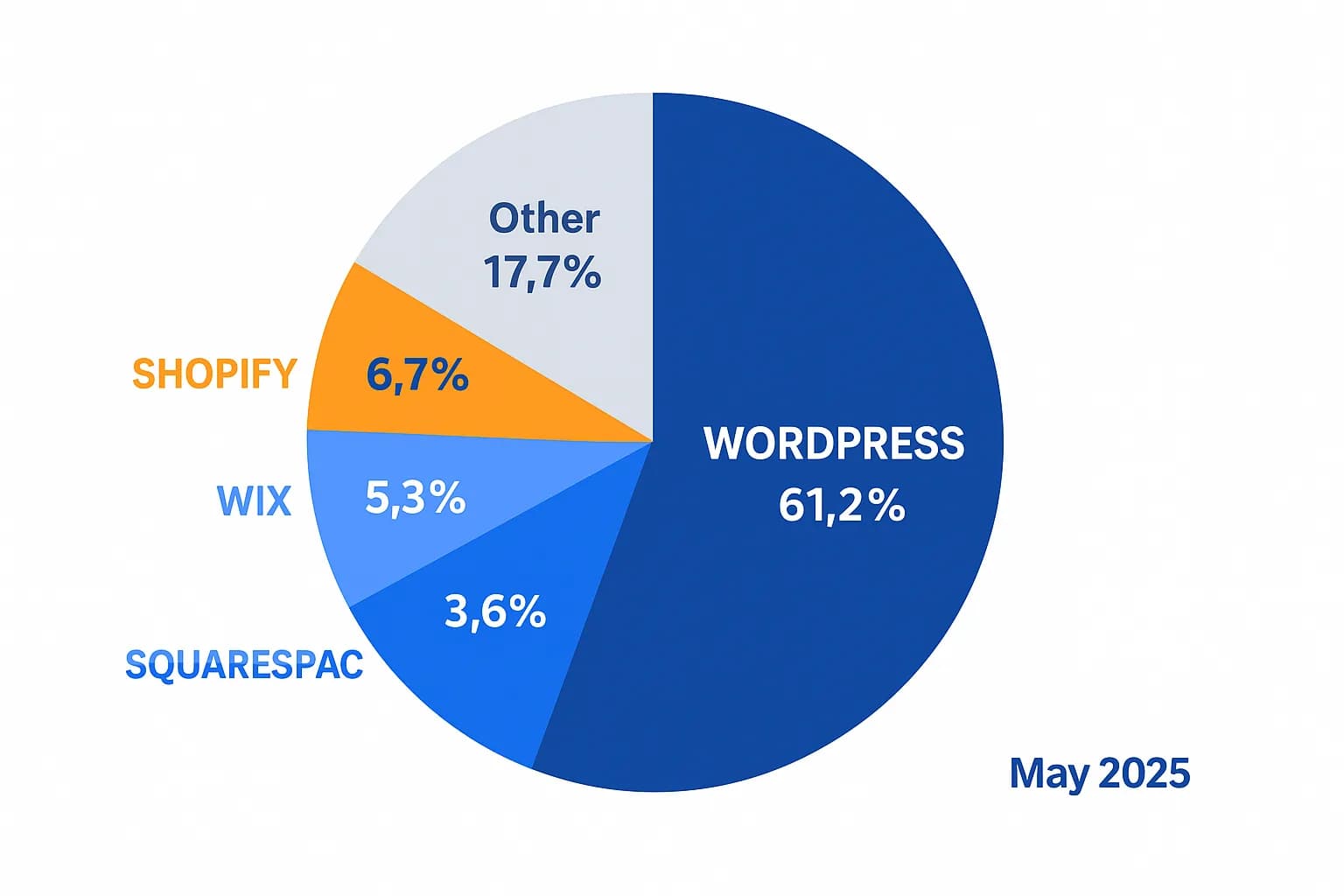
As you can see, WordPress is the most popular platform in the world with a market share of 43%.
The question: why is WordPress so popular? Because WordPress is...
- Easy to use / user-friendly
- FREE, with no ads embedded into your website
- Backed by a large community
- Responsive out of the box on every device, including phones and tablets
They are good options too. They just come with limitations (per the data I checked in 2025 — verify current prices before deciding):
- Not free
- You need at least an $8.5/month plan (WIX) to remove ads
- Bandwidth and storage are limited on their cheapest plans (WIX)
- A website on their platform is not 100% yours
That last point is what people regret most later: when your site grows — you want to change hosts, add custom features, or fully control the design — the builder dependency becomes a wall. And if what you need is not really a website but an interactive business app (bookings, a small marketplace, tools), that is a different route entirely: read how to create a web application without coding.
For beginners who want a website that is truly theirs, my recommendation is WordPress.
I personally use WordPress on every website I own (including Penasihat Hosting) and I believe WordPress will suit you too.
And the good news: in this guide, you will learn how to build your own website with WordPress.
learn how to create your own website using WordPress in this guide
This guide is split into the following chapters. Work through them in order, or jump to what you need:
- Choosing a domain and hosting — the foundation before you build anything.
- What is web hosting — understand the machine behind your website.
- Installing WordPress in cPanel — under 5 minutes with the one-click installer.
- Choosing a WordPress theme — criteria that won't limit your growth.
- Customizing your theme — logo, colors, fonts, and menus via the customizer.
- Building pages with Elementor — from ready-made templates to a published homepage.
Already comfortable with hosting and want to pick a provider directly? Browse the shared hosting and domain categories to compare options.