RunCloud Review
Complete review of RunCloud, a cloud panel for managing Cloud VPS. Learn about RunCloud's features, performance, price, advantages and disadvantages to help you decide.

TE: This review was last updated in 2021 and may no longer be accurate. Not recommended for use full reference in your decision making.
Considering using RunCloud to host your WordPress website?
Or are you considering upgrading/moving from shared hosting to Cloud VPS to get much better performance (uptime and speed)?
Whatever your reason for reading this RunCloud review, I am sure you will find the answer to the question you are looking for, because I will discuss RunCloud in quite detail in this review.
I even moved one of my money sites to Digital Ocean Managed by RunCloud about 3 weeks ago, so this review is supported by two data that can help you in making decisions, namely data from user experience and data from statistics (performance tests).
And to start things off, let's start by getting to know what RunCloud is (you can skip this section if you already know about RunCloud).
What is RunCloud?
RunCloud originates from Malaysia and has been established since 2014. To date, they have served more than 200,000 applications and 400,000 domains from all over the world.
If you've never played in the VPS world before, you'll likely be confused by what RunCloud has to offer, as they've taken a different approach than what you're used to with shared hosting.
What you need to know first is that RunCloud is not a hosting provider. They don't even provide hosting at all.
So what does RunCloud offer?
What Does RunCloud Offer?
In short, RunCloud makes server management easy.
I know, many users want high performance hosting like for example Kinsta (Premium Managed WordPress Hosting), but at a much cheaper price.
Cloud VPS hosting such as Digital Ocean, Vultr, Linode and UpCloud are the answer to the above problems. You can get hosting with performance that is no less than Premium Managed WordPress Hosting, but at a much more affordable price.
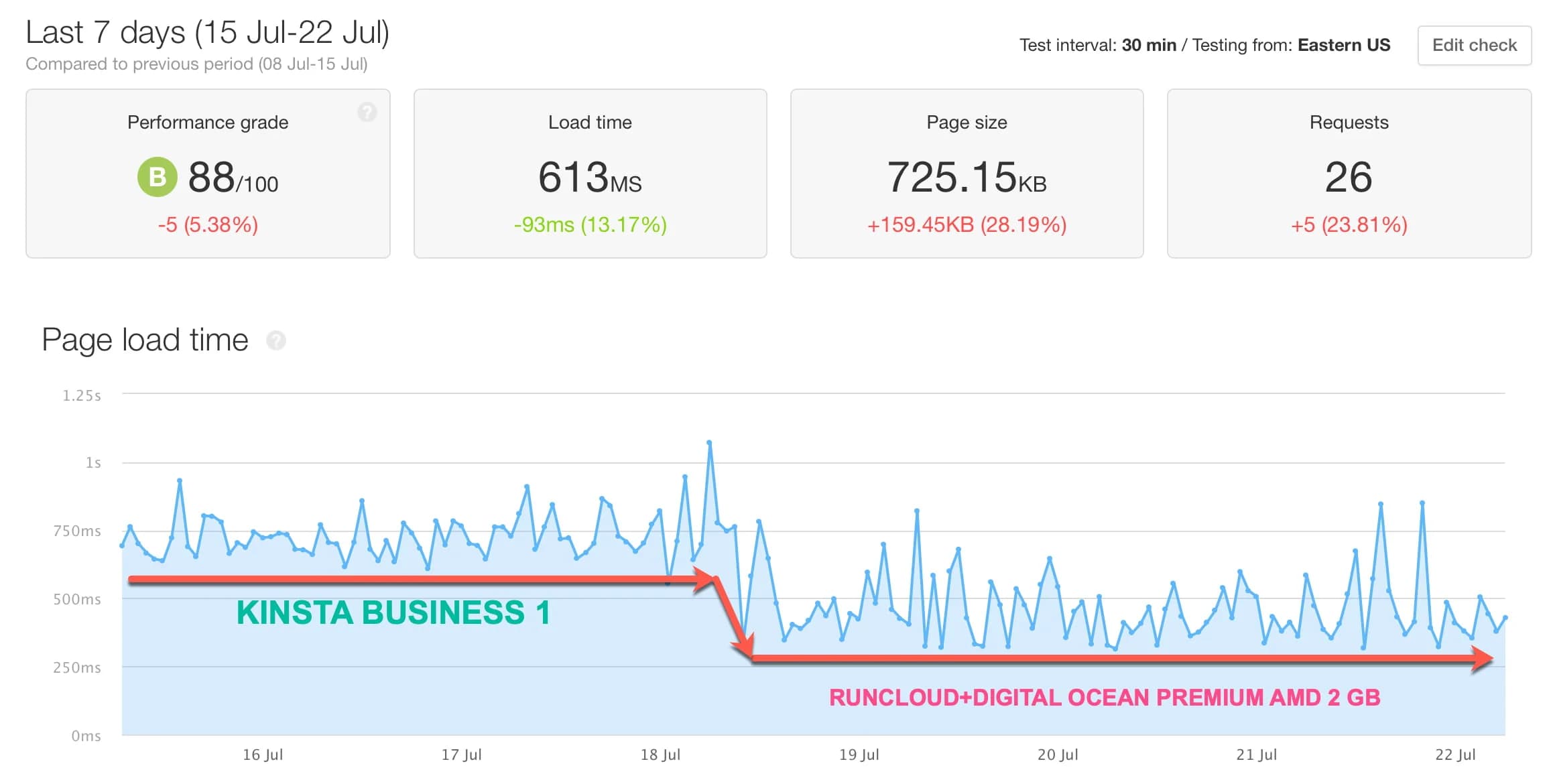
*I've proven this by comparing the performance of RunCloud (with Digital Ocean VPS for $12/month) and Kinsta Business 1 plan (for $100/month). From monitoring one of my websites after moving it to RunCloud, the load time was even faster (with the new RunCloud Hub FastCGI caching) as shown in the load time monitoring graph above. *However, the problem that always worries regular users (not developers) is that Cloud VPS hosting is too complicated, requiring time and discipline to learn it.
RunCloud (one of them) answers this problem well.
They built software, a hosting control panel that has been specifically designed to manage cloud hosting from providers, such as Digital Ocean, Vultr, Linode, Google Cloud, and others.
You just connect the VPS provider you choose and RunCloud will manage the configuration, security, and even optimize it.
In simple terms, you leave the server configuration to RunCloud and you just need to manage your application settings in the software or control panel. You can easily install WordPress, access the file manager, do backup and restore like in cPanel, etc.
RunCloud Review
Before writing this review, I had been using RunCloud for almost 3 weeks.
I moved one of my websites from Kinsta Business 1 package to RunCloud with cloud VPS hosting from Digital Ocean (Premium AMD 2GB) to see whether the load time was faster or slower than Kinsta (Premium Managed Hosting which I used as a sample in testing).
I also tested with two different configurations to see which one has faster performance:
- RunCloud Nginx + RunCloud HUB with FastCGI Caching
- RunCloud OpenLiteSpeed + LiteSpeed Caching
So the test results can help you decide what configuration is faster for your WordPress website.
One of the shortcomings of this review is that I only focus on checking RunCloud's performance using the WordPress CMS only and may not apply to other CMS. That means, this review is not general in nature.
In this RunCloud review, I will also try to answer questions that you might be looking for.
Questions like:
- How does RunCloud work?
- What are the advantages and disadvantages of using RunCloud?
- Is the price reasonable?
- Is RunCloud optimized for WordPress websites?
- How does RunCloud perform compared to its competitors, such as CloudWays, SpinupWP and GridPane?
- And who is RunCloud suitable for? Is it suitable for novice users (newbies) to use RunCloud?
I will discuss everything in this review.
Advantages of Using RunCloud
There are at least six advantages of RunCloud in my notes.
What I like most apart from its impressive _performance_ is its user interface.
1. Beautiful and Intuitive User Interface
I have used several cloud panels, such as RunCloud, GridPane, SpinupWP and platforms like CloudWays, but among all these options, RunCloud is my favorite in terms of user interface.
The user interface is beautiful, neat and as can be seen they have spent thousands of hours researching, designing and building it.
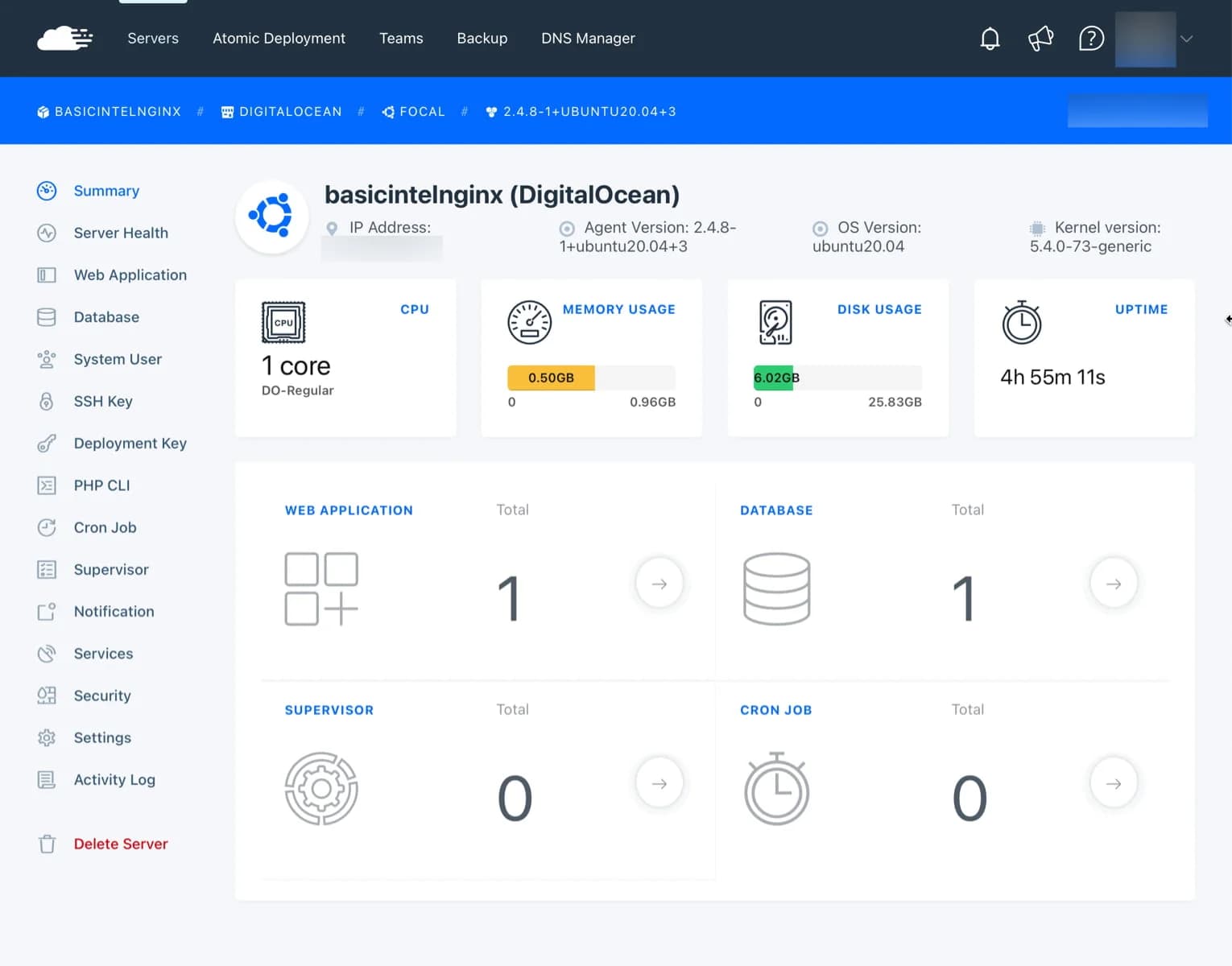
The cloud panel is comprehensive. You can manage both server settings and website settings. The two settings are of course separate, you have to click “Web Application” in your Server dashboard page to manage your website.
If you've ever used the CloudWays, you'll definitely find a lot of similarities to RunCloud in terms of features. However, the RunCloud control panel feels more comfortable because it is faster and friendlier.
2. More Cloud Hosting Provider Choices
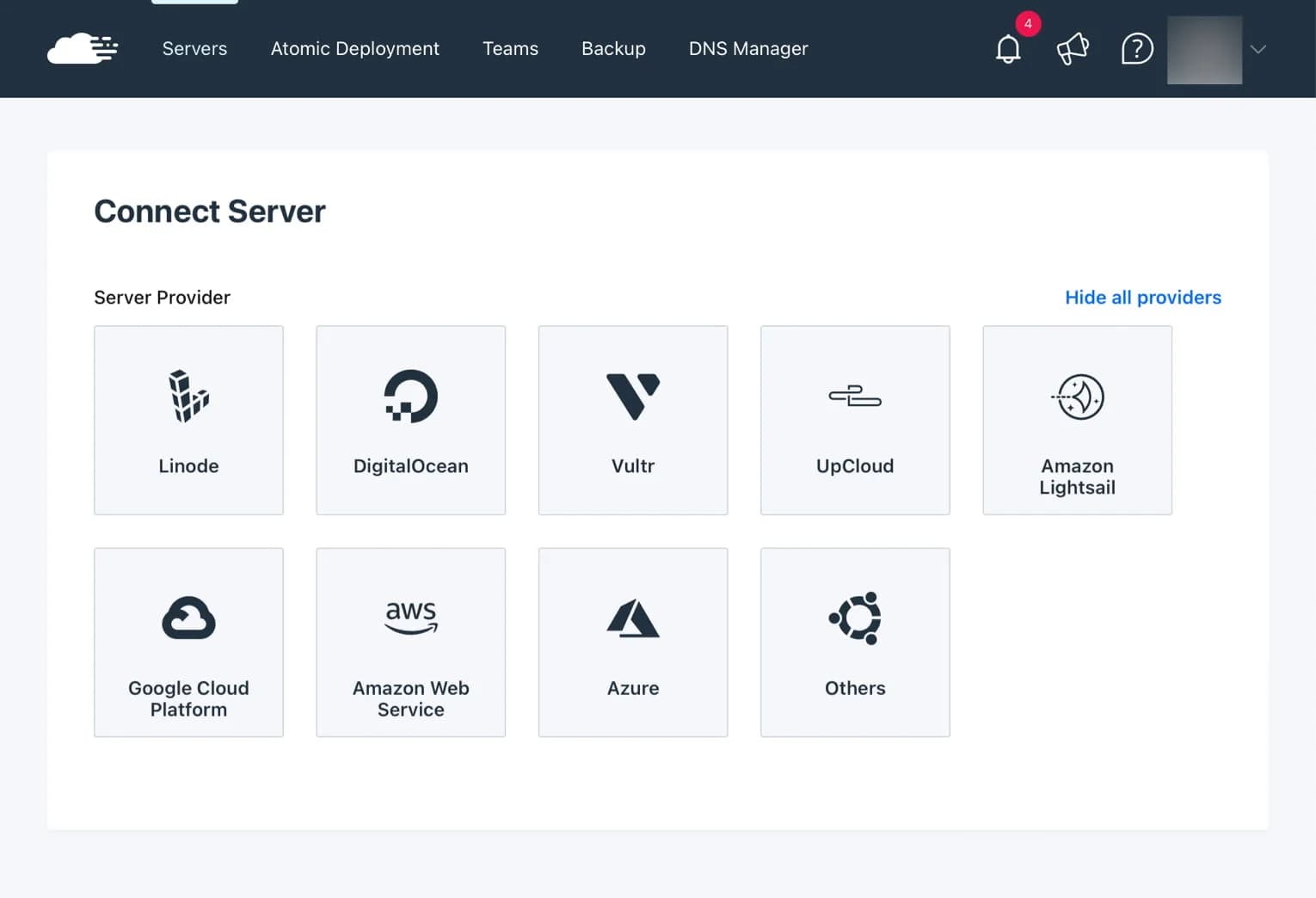
RunCloud makes it easy for you to connect a wider selection of cloud hosting providers, from Linode, Digital Ocean, Vultr, Google Cloud, and others. You can even install a custom VPS from certain providers.
If you are a beginner, you can choose providers such as Digital Ocean, Linode, Vultr and UpCloud because they are easier to connect to RunCloud.
3. Impressive Performance
I tested with two different configurations to see which one has faster performance:
- RunCloud Native Nginx + RunCloud HUB with FastCGI Caching
- RunCloud OpenLiteSpeed + LiteSpeed Caching
Why don't I test with Nginx + Apache2 Hybrid? Because it is certain to be slower than Native Nginx or OpenLiteSpeed.
And why not test the caching method using Redis? I've compared them before. The result is that the caching method using FastCGI is faster.
So, to determine which is faster, I monitored the TTFB of both.
TTFB monitoring uses GTMetrix for almost 3 days starting from 30 July 2021 to 1 August 2021 and the server location used is in Singapore.
First, using the Native Nginx + RunCloud HUB configuration with FastCGI Caching, the T
T
F
B is obtained as follows:
Min: 34ms
Max: 217ms
Average: 46.94 ms

TTFB graph Native Nginx configuration + RunCloud HUB FasctCGI Caching
Meanwhile, Open
Lite
Speed + Lite
Speed Caching:
Min: 27ms
Max: 642ms
Average: 43.89 ms
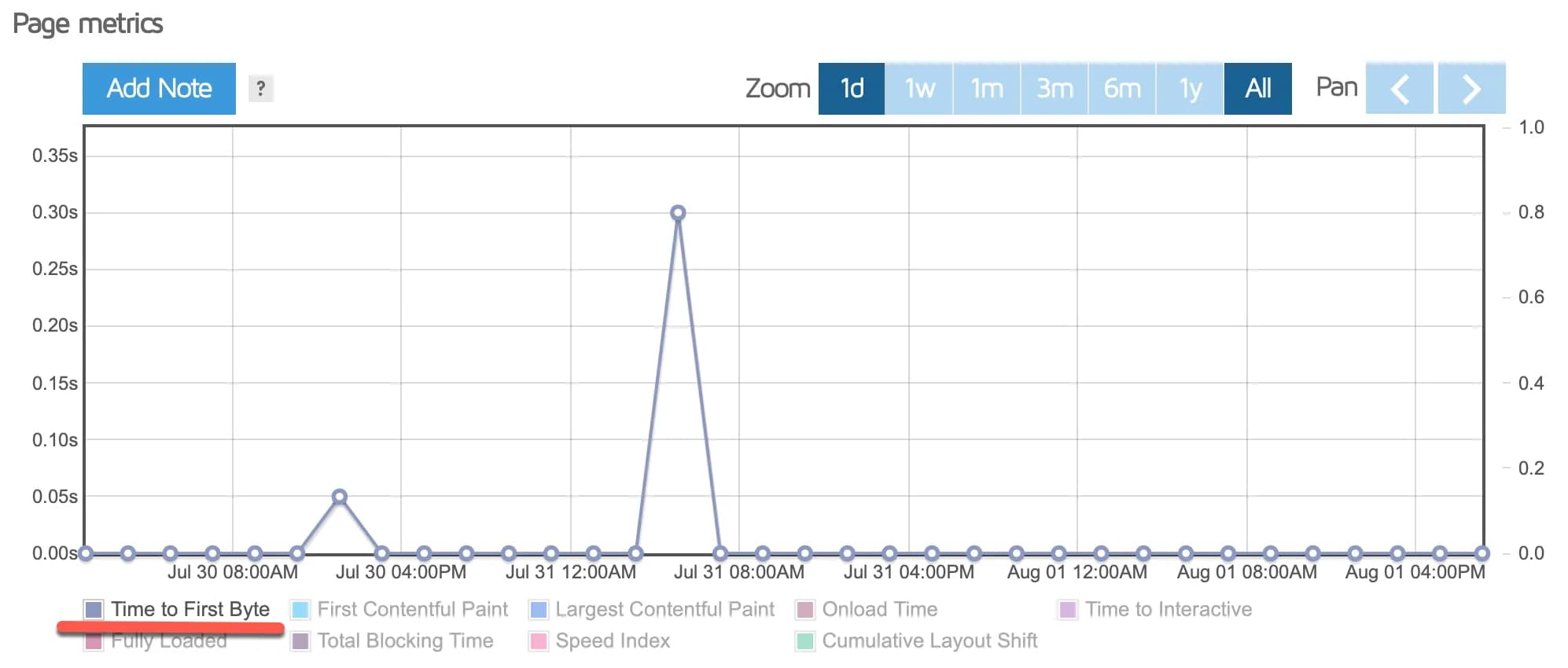
OpenLIteSpeed + LiteSpeed Caching configuration TTFB graph
[table id=80 /]
Conclusion: It turns out that the OpenLiteSpeed + LiteSpeed Caching configuration is faster than Native Nginx + FastCGI Caching. Apart from being faster, it also looks more stable, even though it was found that once suddenly the TTFB increased very high (max) at 642 ms, but overall it was more stable.
The question is, are the averages of 46.94ms and 43.89ms considered fast? Of course it's fast, TTFB under 50ms is fast.
As an illustration and comparison, I moved one of my websites from the Kinsta Business 1 package (for $100/month) to Run
Cloud using the Digital Ocean provider. The configuration I use is as follows:
- Digital Ocean 2 GB RAM / 1 AMD CPU (Premium AMD)
- RunCloud with Native Nginx + FastCGI Caching
As a result, based on load time monitoring data by Pingdom, my website's load time decreased (meaning it was faster), as seen in the graph below:
After I optimized it, my website load time even became 50% faster than before (before= 613 / after= 318ms)

How does it compare to its competitors, such as SpinupWP, GridPane and CloudWays?
Based on my testing (starting from fastest)
SpinupWP > CloudWays > RunCloud.
Has RunCloud been optimized in such a way to support WordPress website performance?
Apparently not or unfortunately not.
RunCloud is similar to CloudWays, they don't specialize as a WordPress-only cloud panel. In fact, you can install applications other than WordPress.
If you are looking for a cloud panel that is optimized for WordPress, SpinupWP and GridPane might be more appropriate for you. The configuration they created has been optimized for WordPress websites, so it's not surprising that the speed is faster than RunCloud.
4. Has Rich Features
One of the points that I like about RunCloud compared to other cloud panels is that they have rich features.
Everything you need, from:
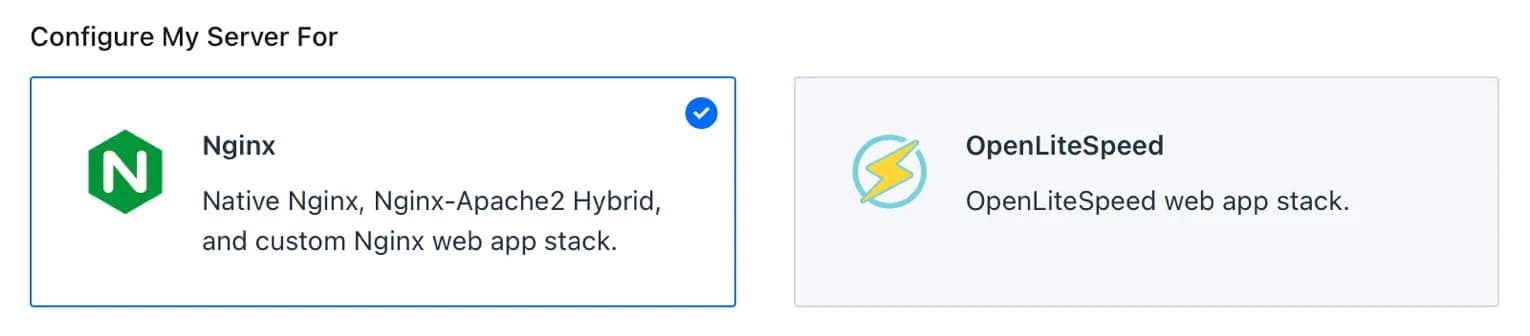
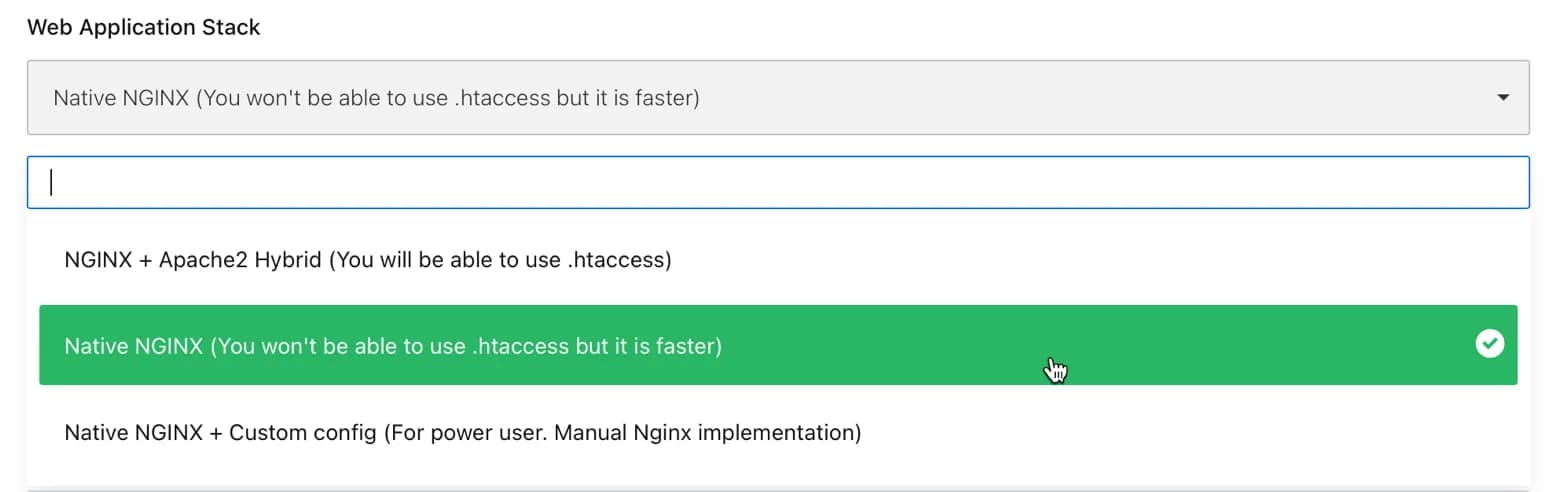
The Native Nginx option is faster, but you can't use .htaccess.
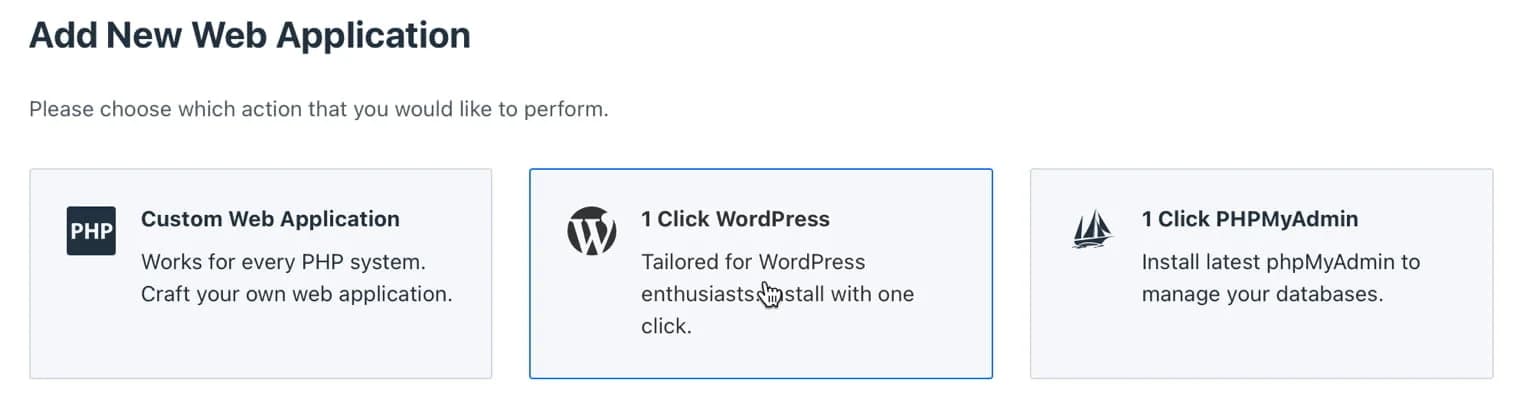
- Install WordPress with 1x click, similar to the WordPress installation feature on Softaculous in cPanel
- WordPress staging (can custom push - per database, this is another reason that made me choose RunCloud.) And the push or sync process from the production site to staging or vice versa, based on my tests, is said to be very fast.
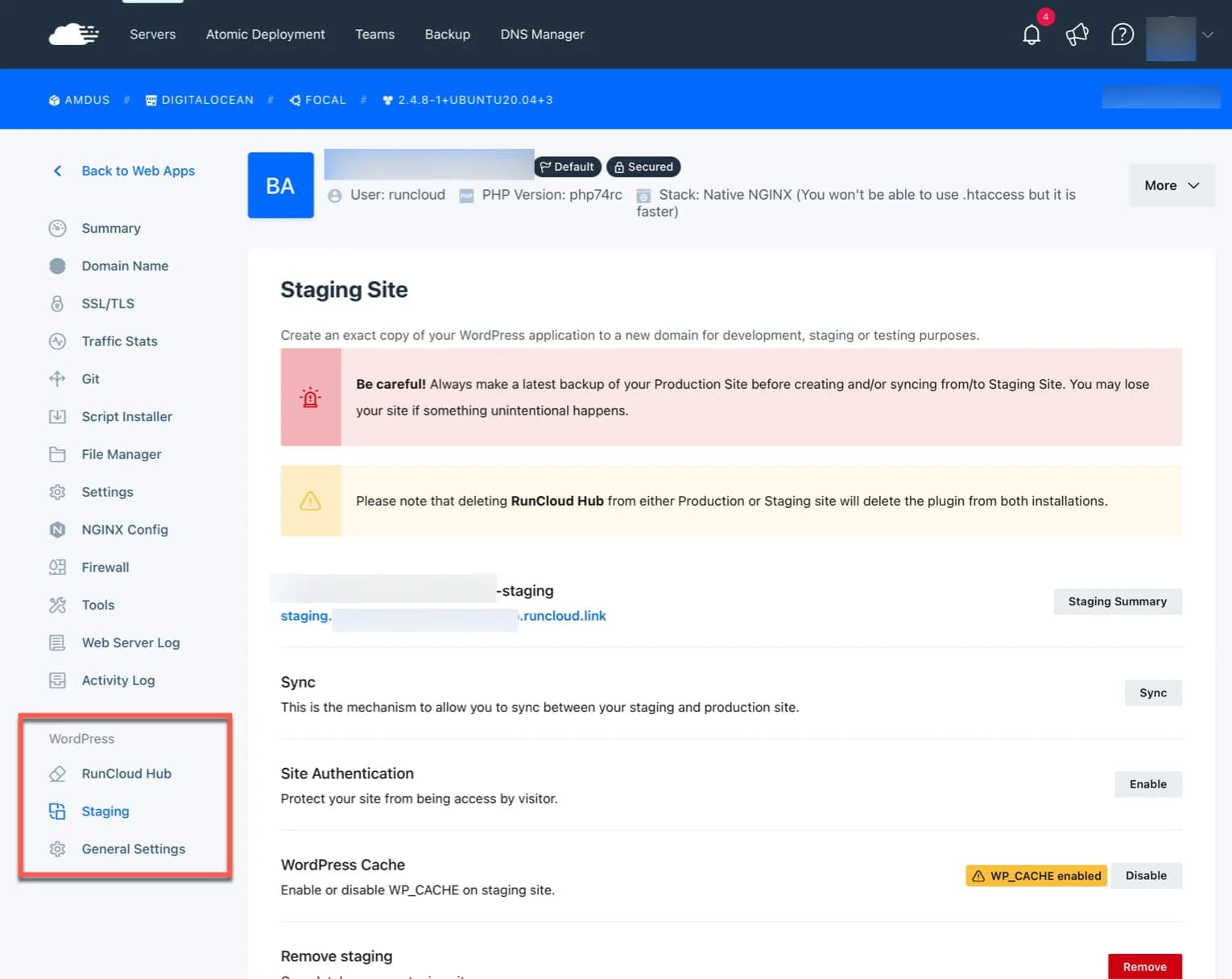
- RunCloud also provides free staging URLs, so you can create a staging website without needing to set up a sub-domain in DNS first. So, it's easier and saves more time.
P/S: Pay attention to the “search engine visibility” setting when you do push or sync from staging to production. Because if you previously chose to block search engines from indexing your website, then on your production website, this option will not change or will remain checked.

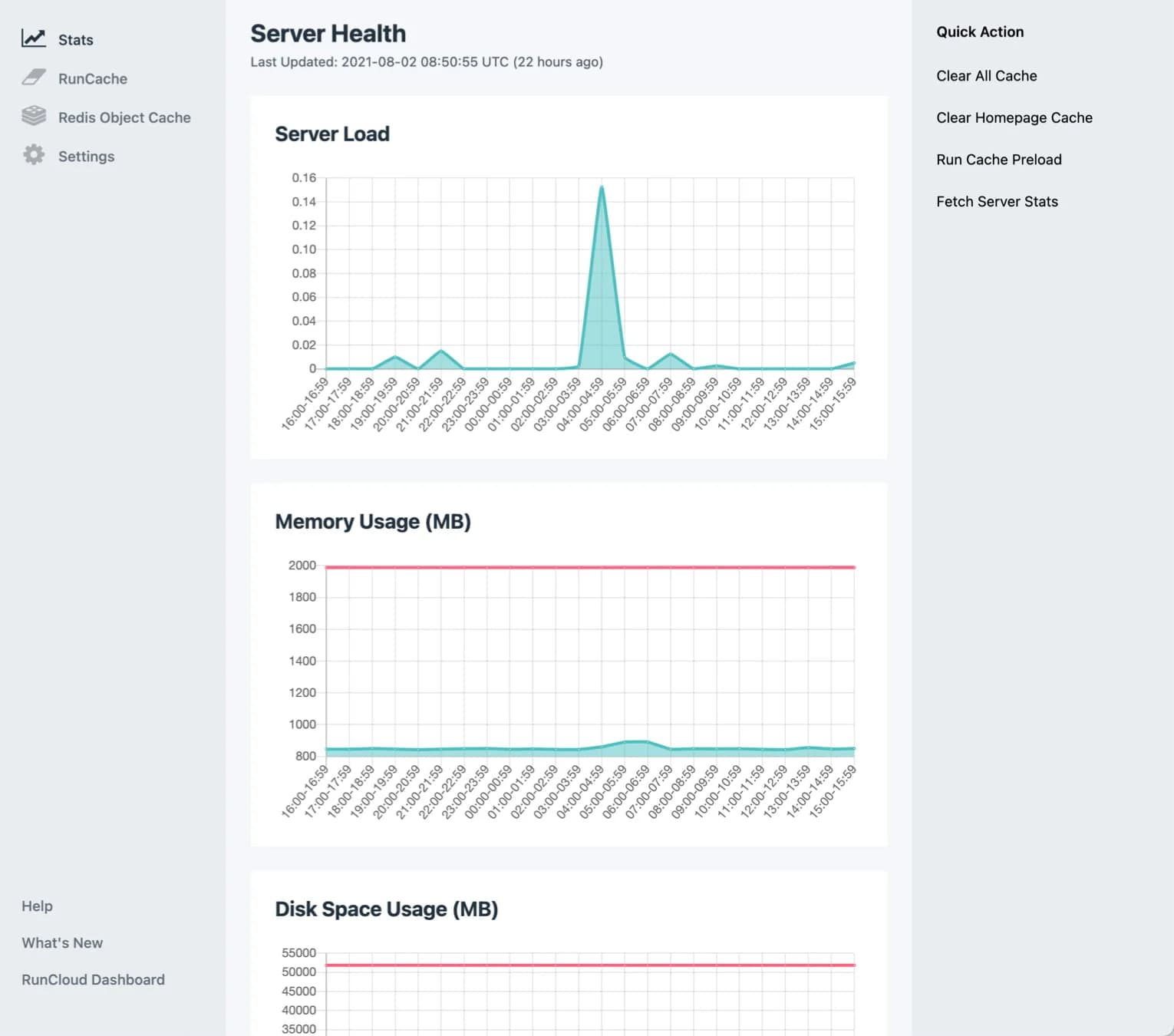
- RunCloud HUB (caching plugin made by RunCloud and you can choose the caching method, between FastCGI or Redis - based on my tests, Fast
C
G
I is faster). P/S: You can only use RunCloud HUB if you choose the Nginx server configuration.
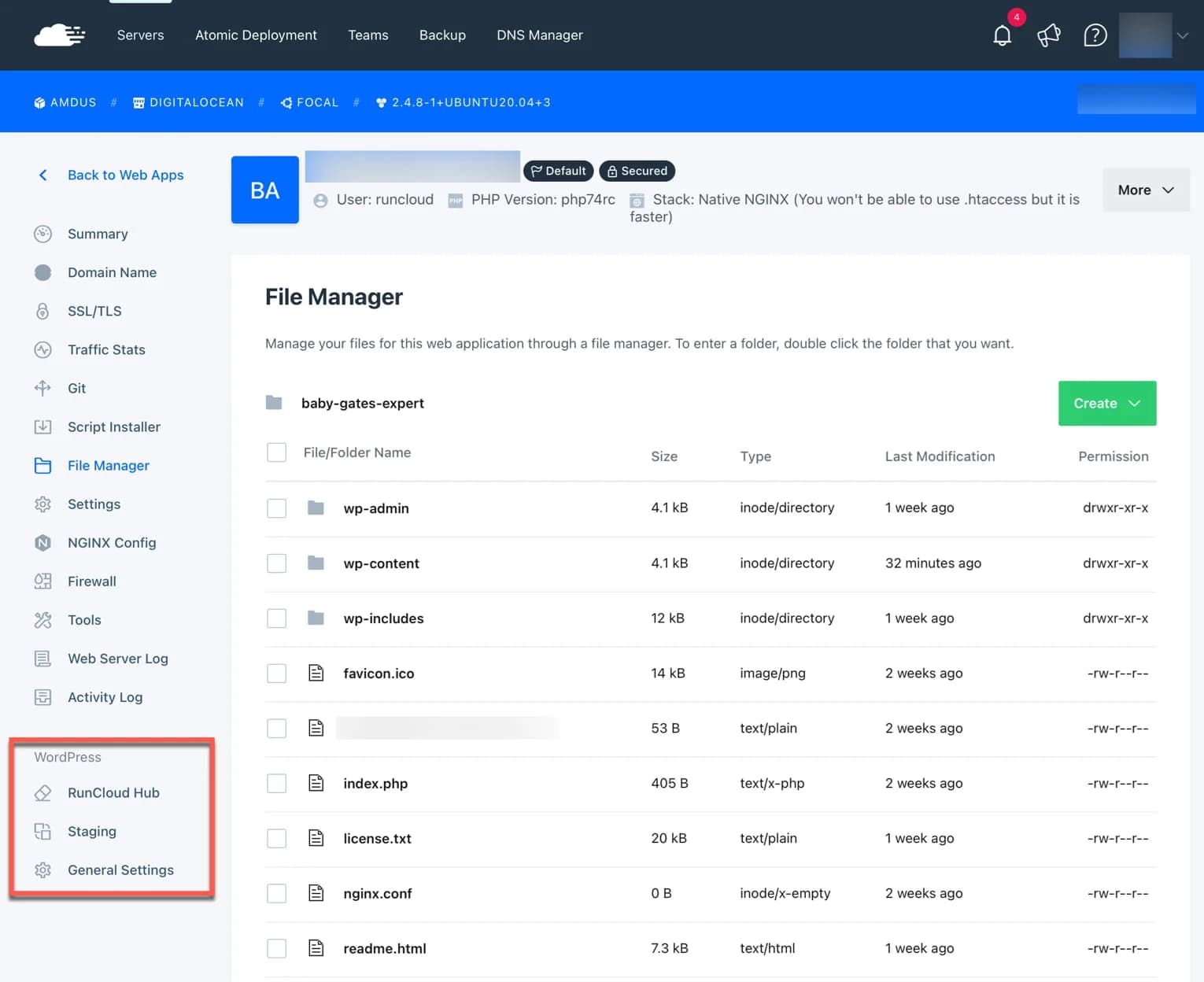
Unfortunately you cannot upload files via RunCloud File Manager.
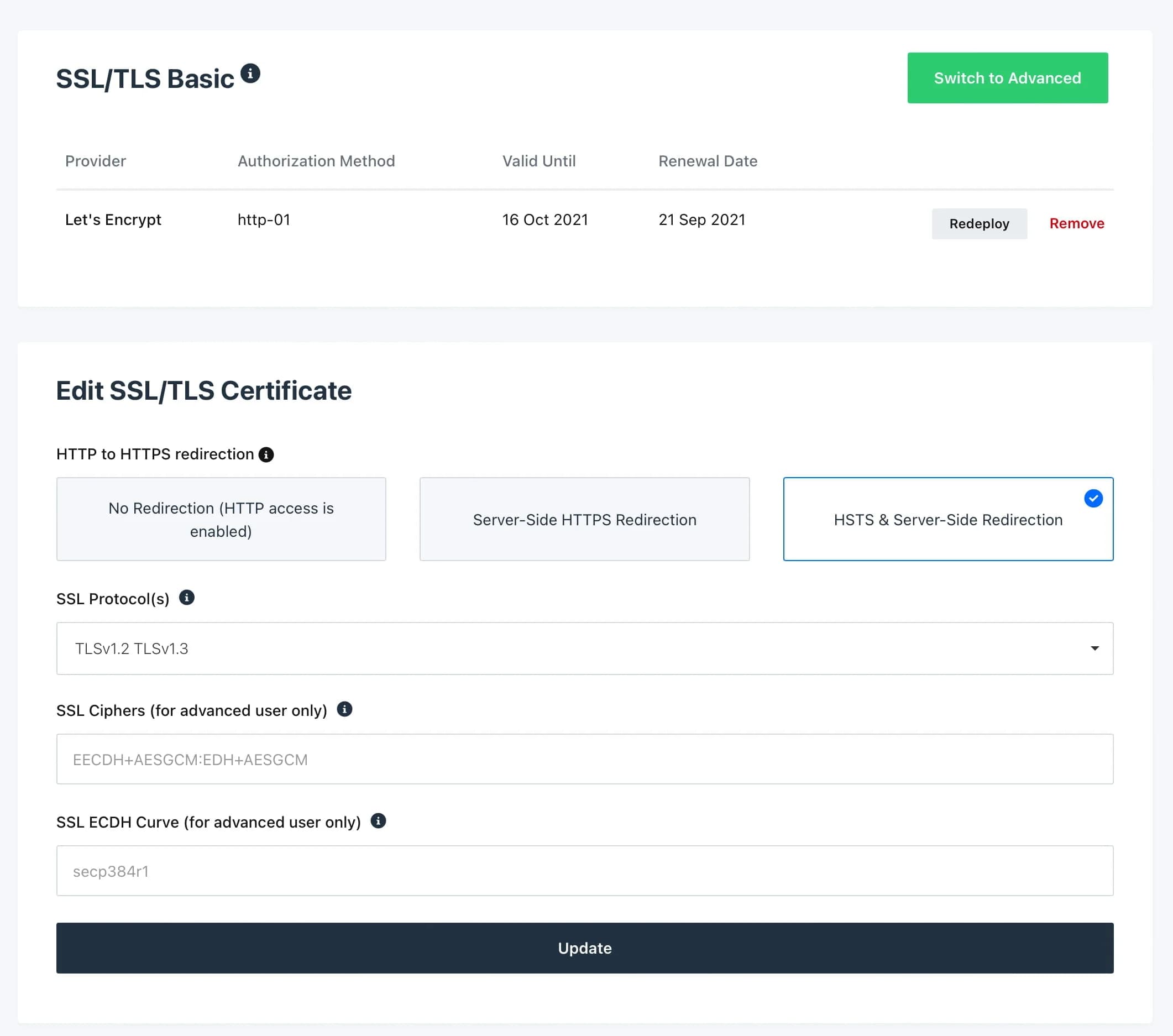
- Many integration options with GIT (GitHub, BitBucket,GitLab, etc.)
- Activity log (which will record all your activities)
- Clone web application (where you can copy your application (for example WordPress) and move it to another server)
- And many more..
5. Prices that are *Fair
- and Cheaper for Managing Multiple Websites
Prices at RunCloud can feel expensive or feel cheap, depending on where you come from.
If you come from shared hosting, then RunCloud's prices seem expensive, because to host, for example, just one website, you have to pay:
- RunCloud starts at $6.67/month (annual) or $8/month (monthly)
- and the cost of renting cloud VPS hosting from the provider you choose, for example Digital Ocean $5
In total, the lowest you can host a website is $13/month (assuming you choose to pay monthly).
However, remember that the performance you will get will be much different from what you get on shared hosting. It felt like I was in a different world.
I'm sure that without needing to compare it with a tool like GtMetrix, you will be able to feel the difference in speed.

Compared to its competitors, such as SpinupWP and GridPane, RunCloud's prices are cheaper, whatever the conditions, whether you are hosting one website or many websites.
- Grid
Pane: Starting at $200 (latest price!)
- Spinup
WP: $12 for 1 server or $39 for 3 servers
However, when compared to Cloud
Ways:
- RunCloud is only more expensive if you manage just one website or choose the Basic plan
- RunCloud will be cheaper than CloudWays if you manage many websites.
I will discuss the price differences with CloudWays in more detail in another article.
6. Free 5 Day Trial + Free Hosting Migration
By the way, RunCloud offers a 5 day trial, so you can do a 'test drive' first. Try all RunCloud features and if possible, migrate your website to RunCloud and compare it with your previous hosting.
And remember, too, that Digital Ocean offers a $100 credit for 60 days for new customers. This means you can rent VPS free on Digital Ocean for 2 months + 5 days trial on RunCloud.
Very attractive offer, right? And there's really no harm in trying, right?
If the 5 day trial is not enough, you can ask to extend the trial period. I tried it and they will be happy to extend your trial period.

Oh yes, RunCloud also provides free ](https://runcloud.io/migration) hosting migration, unfortunately it's only free for migrating one website.
7. Accept Payment Via PayPal
Currently, RunCloud only accepts payments by Visa or MasterCard, but you can use PayPal to top-up your balance which can be used to pay for RunCloud services.
As long as you have a balance or credit, you can continue your subscription to RunCloud without any problems.
Disadvantages of Using RunCloud
RunCloud is a great cloud panel option, one of the best and my favorite.
But, I can't recommend it for everyone.
1. You Must Have Two Accounts
RunCloud is not a hosting provider, I explained that at the beginning, right? :)
In simple terms, they only provide website maintenance services server maintenance services only. As for the server or hosting, you rent it elsewhere.
That means, you need two accounts.
One account at RunCloud, and one account at the cloud VPS provider you choose.
So, payment matters are also separate. You pay for your hosting at the hosting provider, and you pay for your server maintenance services at RunCloud.
Having two accounts is a drawback, especially for beginners. You have to register first with the hosting provider you choose, have to verify it first, wait for the verification process which may take 1 or 2 days.
But, that's the way to play. In all cloud panels, not just RunCloud, you are required to create a separate account.
If you find it difficult, maybe you could consider using CloudWays, because with CloudWays you only need 1 account.
2. Has limitations in terms of support
Okay. In fact, it is normal that cloud panel providers like RunCloud have limitations in terms of support.
In fact, they are not a hosting provider, so you cannot expect the same support assistance that you got from your previous shared hosting or managed VPS hosting provider.
They will help if you ask about their control panel, but when for example you ask about an error that occurred on your WordPress website, maybe they can't help because it's not within the scope of their support.
Or at the most, maybe they want to guide you on how to solve your problem, but you have to figure it out yourself.
For example, I'm trying to ask about how to create custom redirection between my one domain and my other domain.
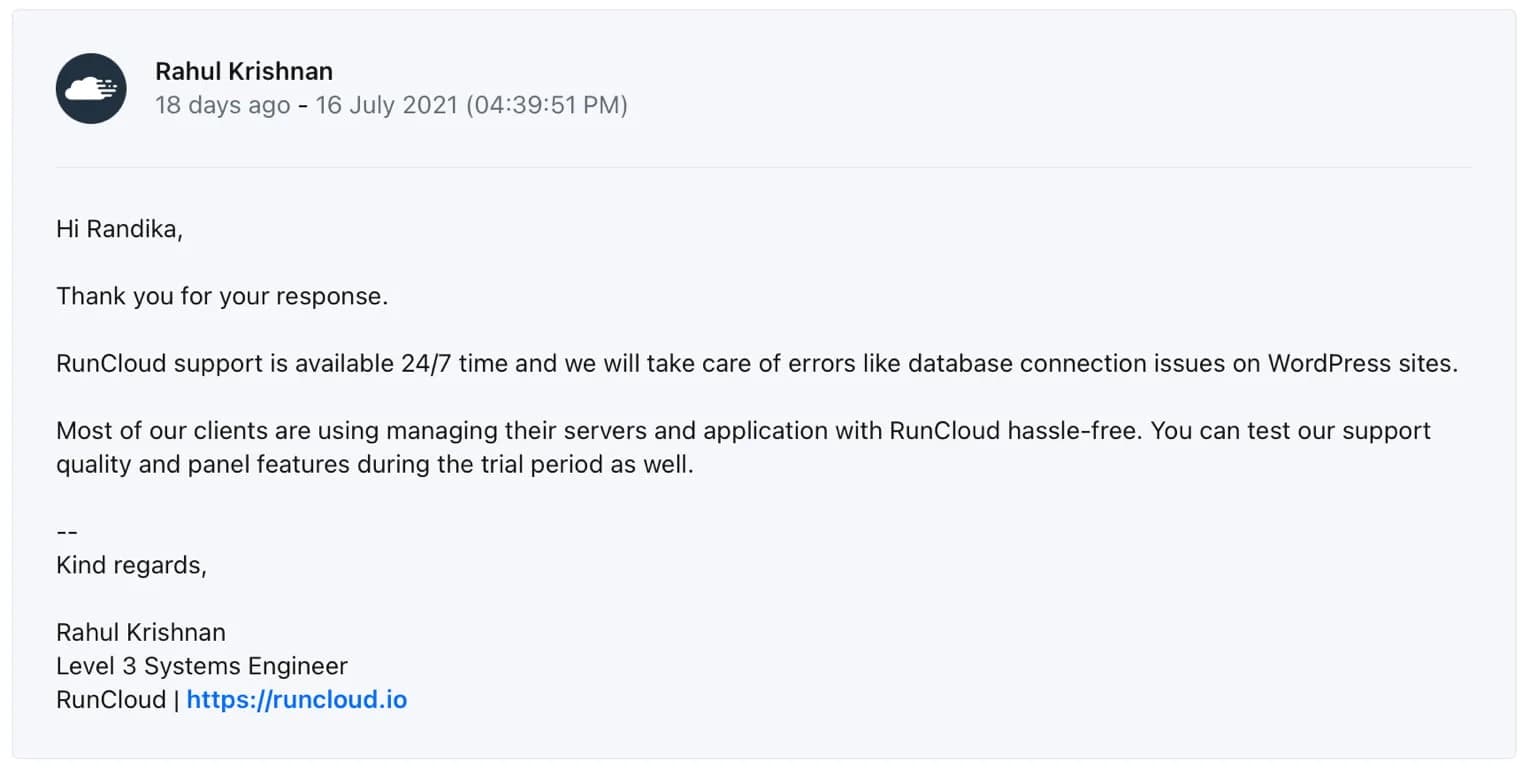
Actually, this is easy to do (for those who understand of course.)
They can help create the rule above so that my domain can redirect to my other domain, but they can't log in to my account and create the rule in Nginx config, because it doesn't fall within their support scope.
Then, from my testing, their support is all friendly, although I feel that the quality of the support staff is not all the same. And the support response time is sometimes long (more than 30 minutes), sometimes fast. Depends on the case you are asking about.
My favorite of their support staff is Rahul Krishnan.
He said that they can help with errors like “Establishing database connection” on WordPress websites and that many of their clients manage servers and applications on RunCloud without any problems (hassle-free).
He's right, after almost 3 weeks of using RunCloud, I can say that everything works well, there are no bugs (that I found). I can carry out my routine tasks without needing technical assistance. For users who have just moved from Managed WordPress Hosting to RunCloud, I didn't find any significant problems.
However (again) I can't recommend RunCloud to everyone.
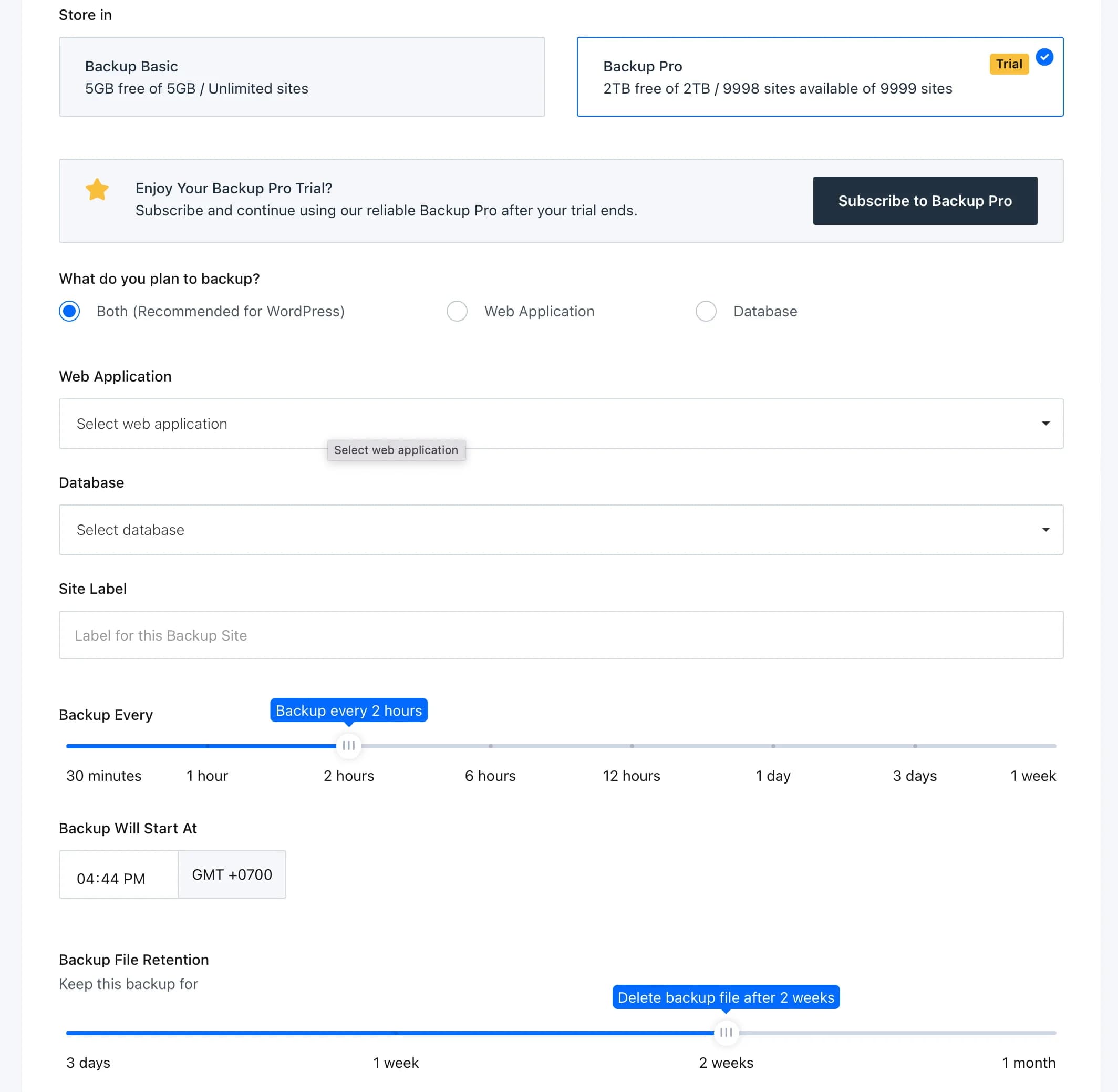
3. The backup feature is free, but has limitationsI'm not saying that RunCloud has a bad backup system and should be included in the minus points, but in RunCloud you have to choose between free or paid (premium) backups.
The free backup allows you to perform daily, tri-daily and weekly backups and you will get up to 50 GB free.
For many users, I think the free backup is good enough. But unfortunately you don't get important features such as:
- On-demand backup: Where you can backup manually
- Download backup: Download the backup and save it to your computer
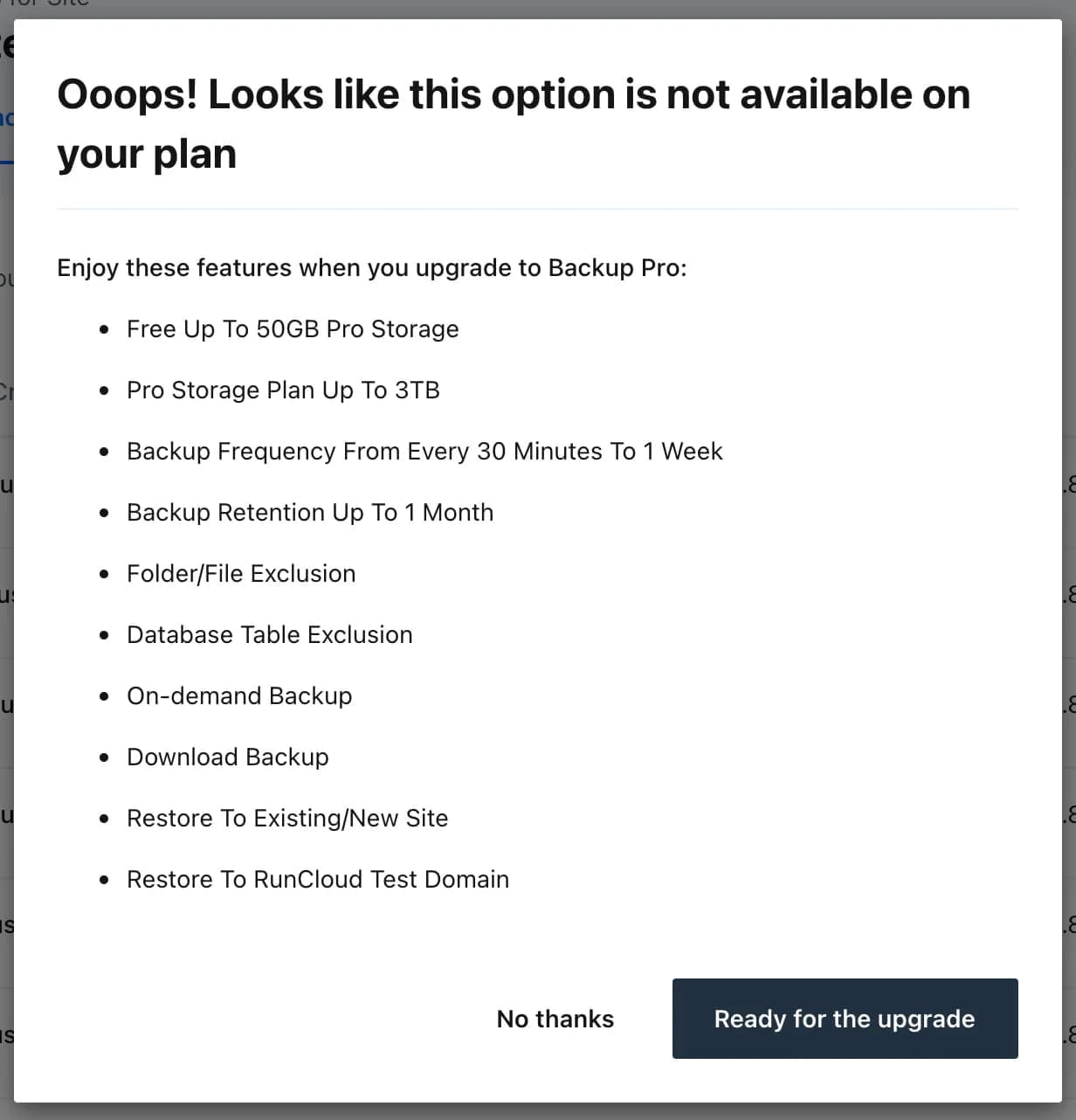
To get the complete backup features as explained in the image above, you need to choose backup pro at a cost of $1/website/month.
If you only host one or two websites, maybe this deficiency will not be a problem, but what if you manage many websites, say 10, 20 or maybe 30 websites?
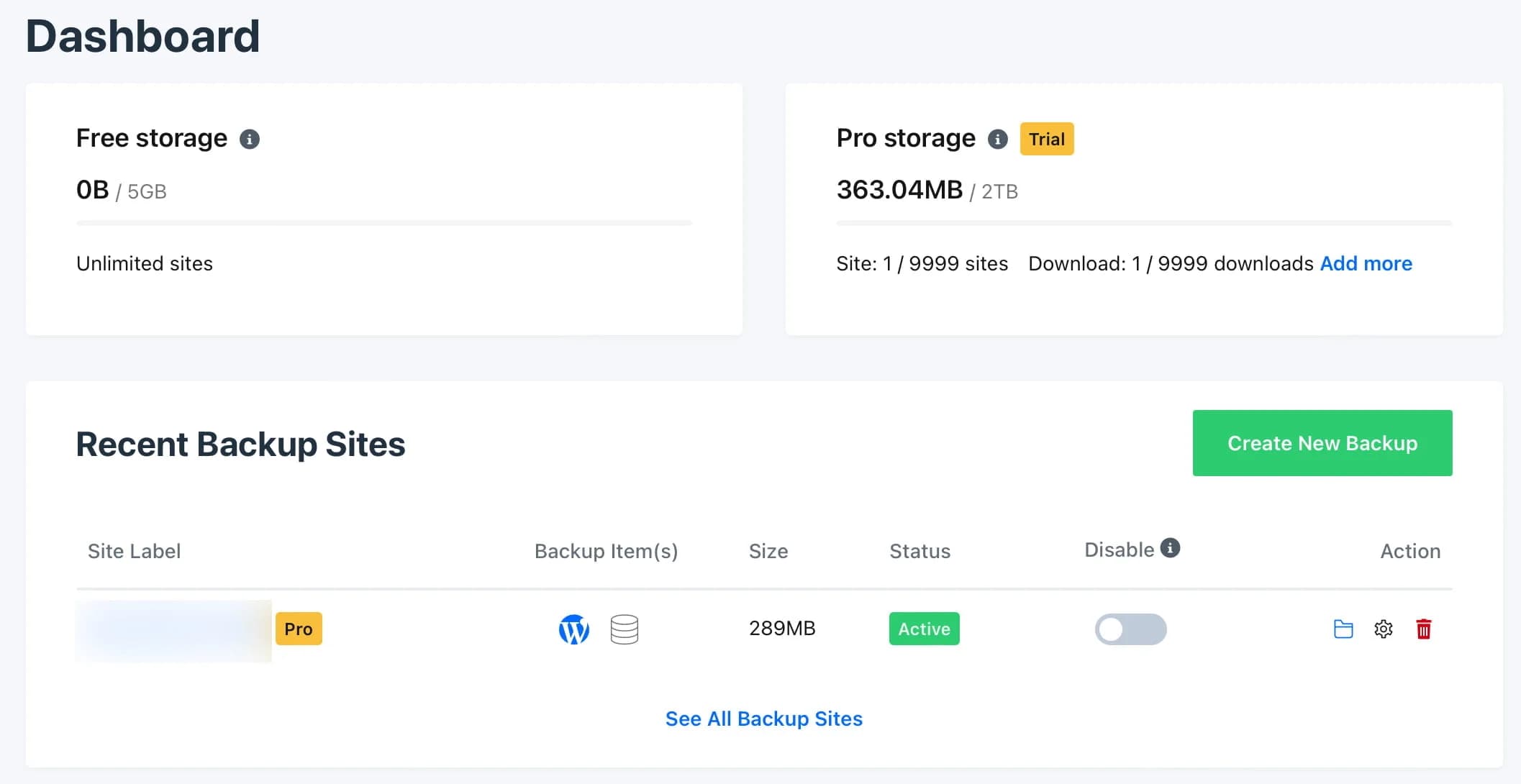
What I like most about RunCloud's pro backup feature is that you can even set the backup frequency to every 30 minutes and the backup retention is up to 1 month.
Compared to its competitors, such as CloudWays and SpinupWP, RunCloud's backup feature is the most complete. I think the $1/website/month fee is worth it *really!*The only drawback is that you can't give a name to the backup file!
I usually give a name to the backup file, for example I called it "Backup before updating WordPress to version 5.8", but unfortunately that isn't possible in RunCloud, so I have to remember the backup from the backup date only.
Conclusion: Is RunCloud Right For You?
Now, the important question is - Is RunCloud the right choice for you?
The answer depends.
As I explained in the support point above, due to limitations in the support coverage at RunCloud, I cannot recommend it for everyone.
However, as a user who previously used Premium Managed WordPress Hosting (Kinsta), I was happy using Run
Cloud. So far:
- I haven't encountered any problems, everything works fine, and there are no bugs (that I found),
- Based on my monitoring data, performance is better (with Digital Ocean VPS for $11/month + RunCloud with Native Nginx + RunCloud HUB + FastCGI Caching)
- Cheap price
- And features that can make my daily tasks as a blogger easier, such as WordPress Staging, SSL and File Manager. I rarely even touch the CLI or even FTP.
However, I can't say that I could get away with not thinking about hosting at all. It's not as practical as using Managed WordPress Hosting like Kinsta, but even if you have technical knowledge, you won't be messing around with hosting too often when using RunCloud.
To make it easier for you, I have detailed several conditions that might help you in making a decision:
If you are a developer, RunCloud is perfect for you.
If you are a Google Expert (used to finding your own problems or at least able to follow guidance provided by RunCloud staff on technical problems on your website), RunCloud is for you.
If you understand how to use the cPanel control panel well and want to learn to use the RunCloud cloud panel, then RunCloud is also suitable for you.
If you are an agency, have a lot of clients, and are looking for a cheap cloud panel option with lots of features that can make your daily tasks easier (meaning more productive), then RunCloud is for you.
If you come from Managed WordPress Hosting, such as Kinsta, WP Engine, WPX and the like, want cheaper prices, but with no less performance, then RunCloud with OpenLiteSpeed + LiteSpeed Caching or RunCloud with Native Nginx + RunCloud HUB + FastCGI Caching is the right configuration for you.
But, if you are a total-newbie, just coming from shared hosting, then RunCloud is not suitable for you, unless you are willing to invest some of your time in learning.
And if you only want to host one website, and don't really need the many features in RunCloud's cloud panel, then RunCloud is also not suitable for you. A cloud panel like SpinupWP might be more appropriate for you.
That's about it...
So, if you like RunCloud's approach, give RunCloud a try. Note that RunCloud offers a 5 day trial (and can be extended if you request) + free VPS from Digital Ocean (affiliate link) for 60 days ($100 credit).
Or if you want something similar to RunCloud, but want something simpler and more suitable for beginners, consider the CloudWays.
How Run
Cloud Works
To help you understand how RunCloud works, I'll show you how to install a WordPress website in RunCloud.
There are two stages:
*First, connect your Cloud VPS hosting server to RunCloud
Connecting the server to RunCloud1. Create an account or register with a cloud VPS hosting provider.
My favorite Digital Ocean /affiliate link. You will get a $100 credit that can be used within 60 days (only for new users).
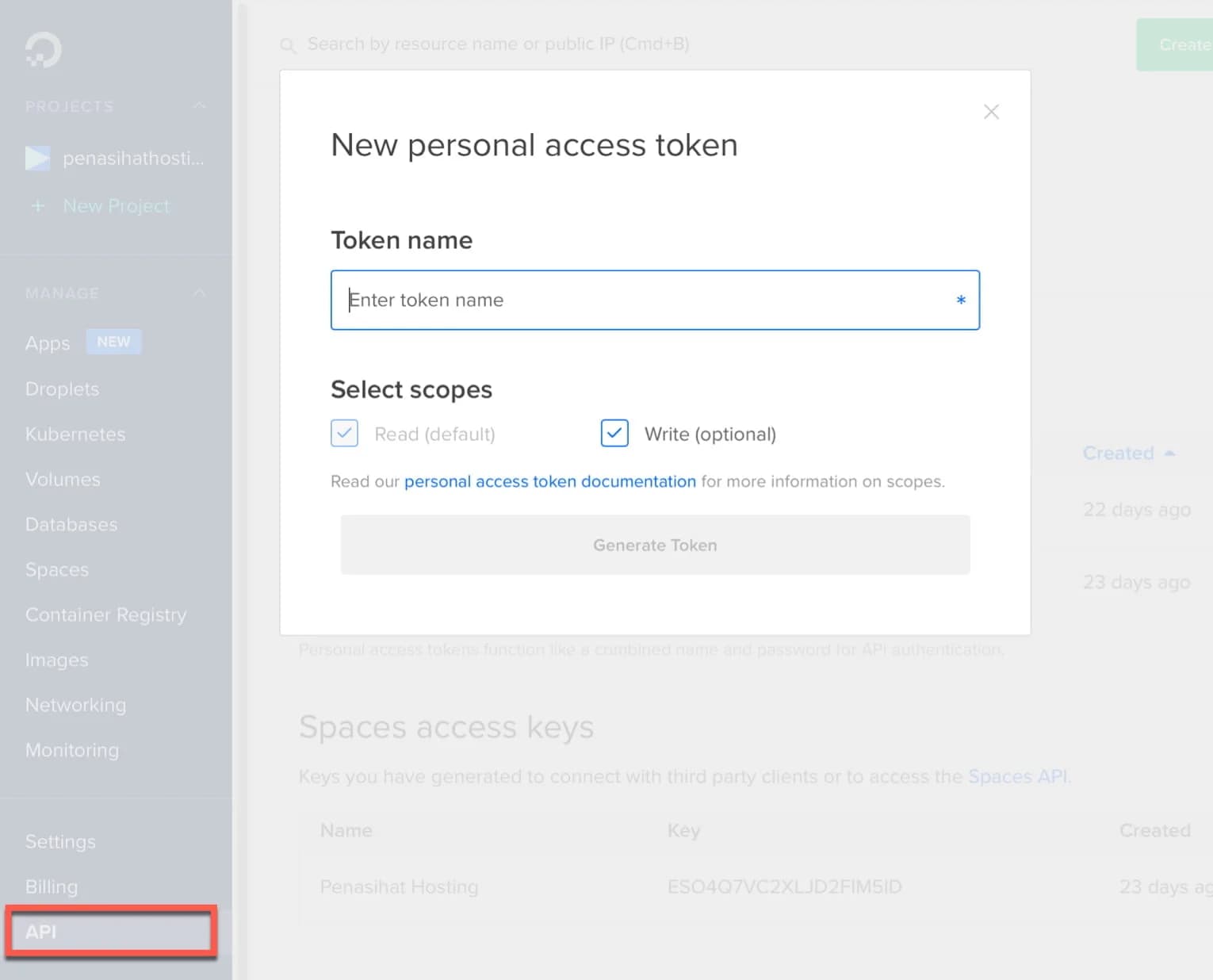
- Create or generate an API token that will be used to setup the server in RunClod.
Click the API menu located in the bottom left sidebar of your screen and click the “Generate New Token” button.
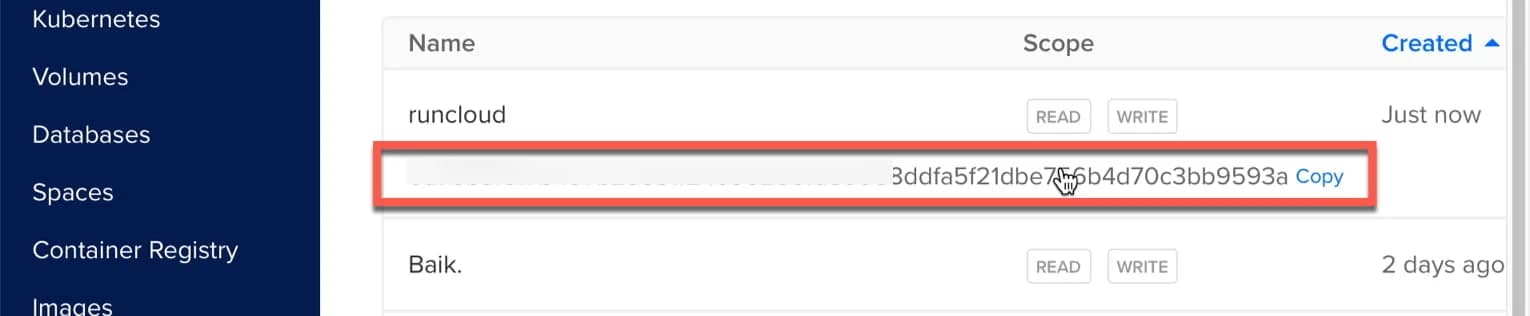
Then, copy the token you just created.
Follow the steps below with notes:
- In step 3, you can choose OpenLiteSpeed (based on my testing, the performance is faster and more stable.)
- In step 4, enter the token code that you created in the previous step.

- Select the latest version of Ubuntu OS, currently, the latest version is 20.04 (LTS) x64
- Choose a package, if you are just starting out and have more budget, I recommend using Basic (Premium AMD) because its performance is faster than Regular.
- Choose the server location closest to your target website visitors. If the target is Indonesia, then choose Singapore 1.
- Select your server specifications. If you are just starting out, hosting specifications with 1 GB RAM and 1 CPU are more than enough.
- Write the server name (for example ServerSG)
- Checklist
- Click the “Add this server” button

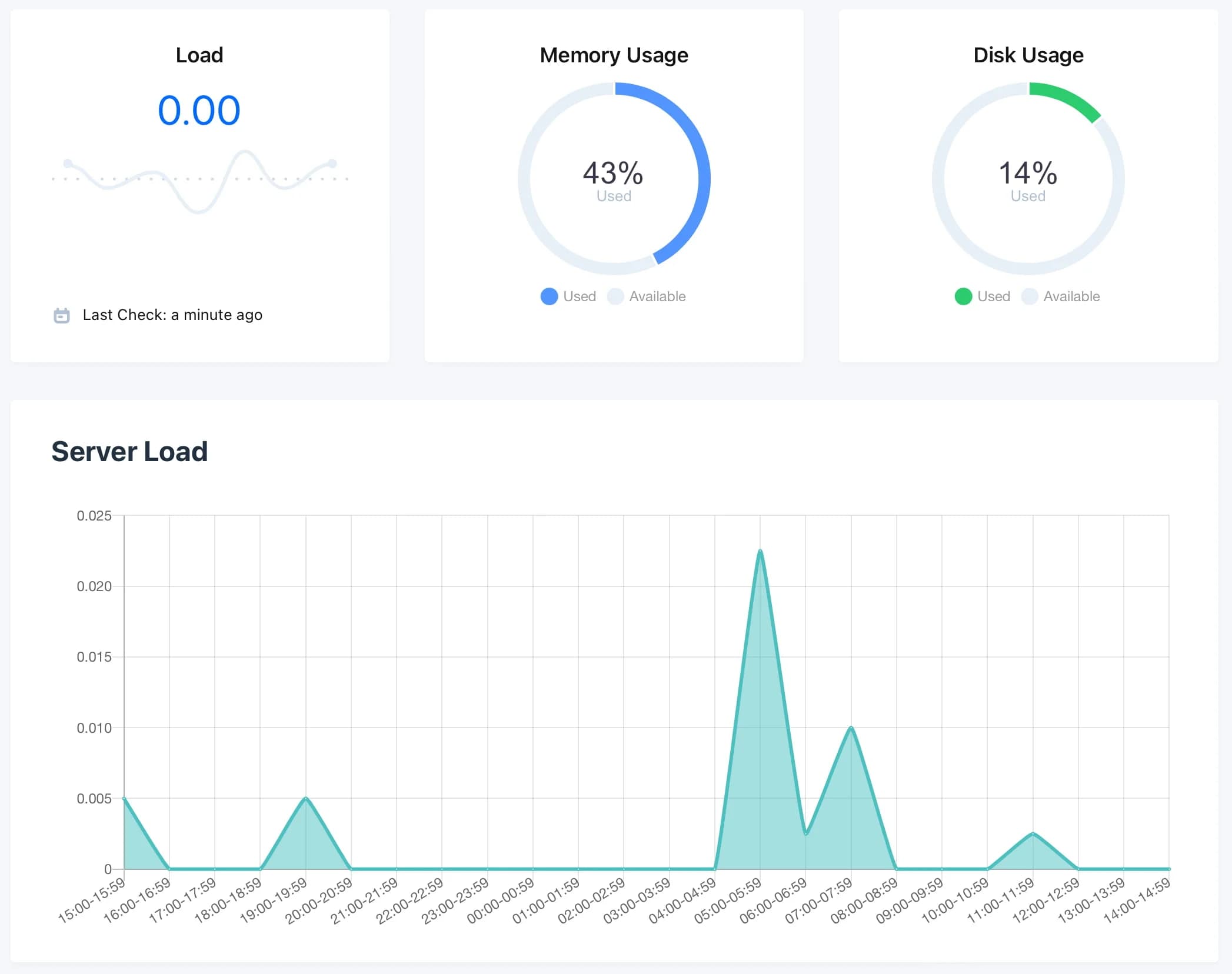
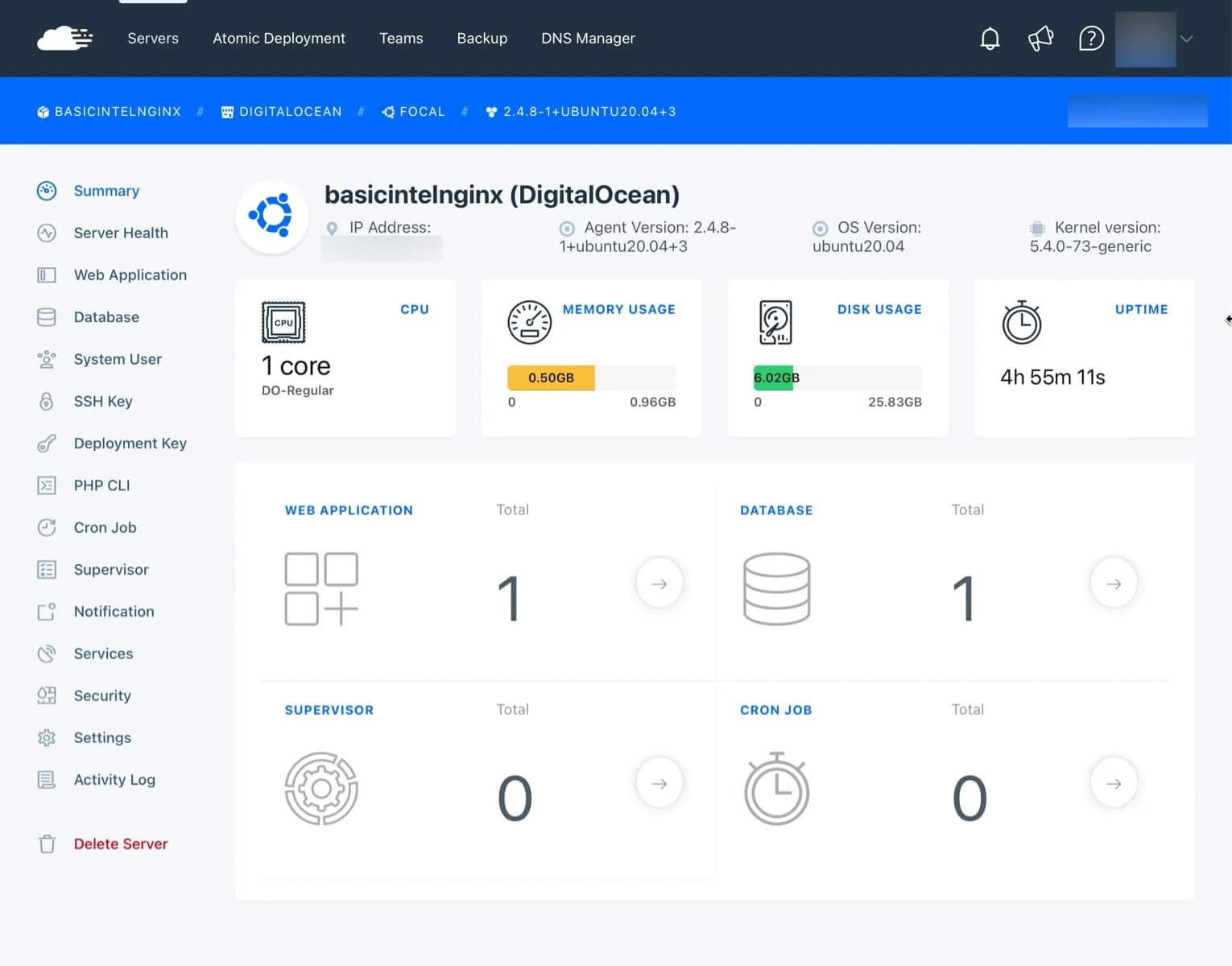
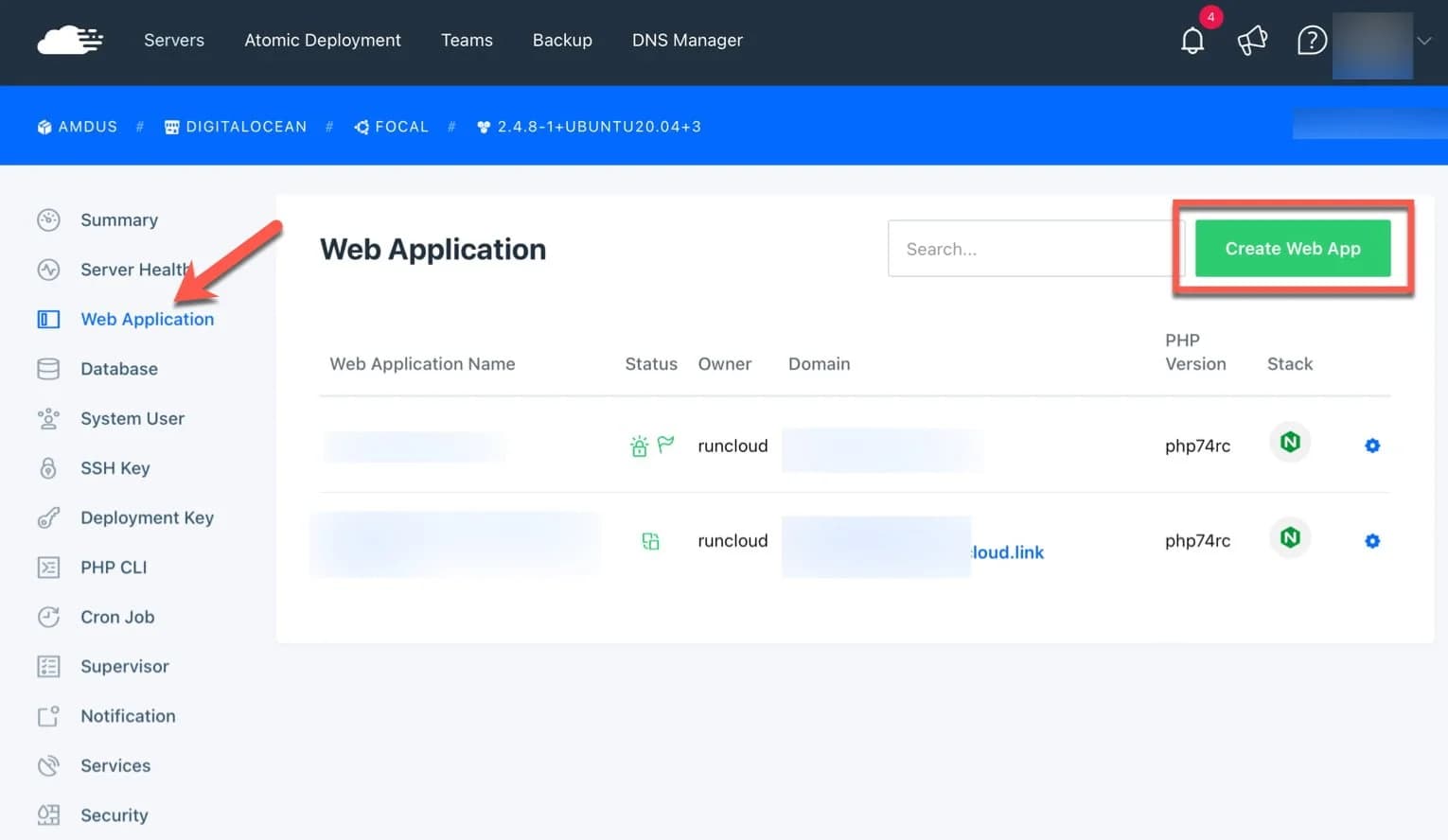
When finished, you will see your server dashboard like this:
Install the WordPress application into your server.
Then, click the green “Create Web App” button.
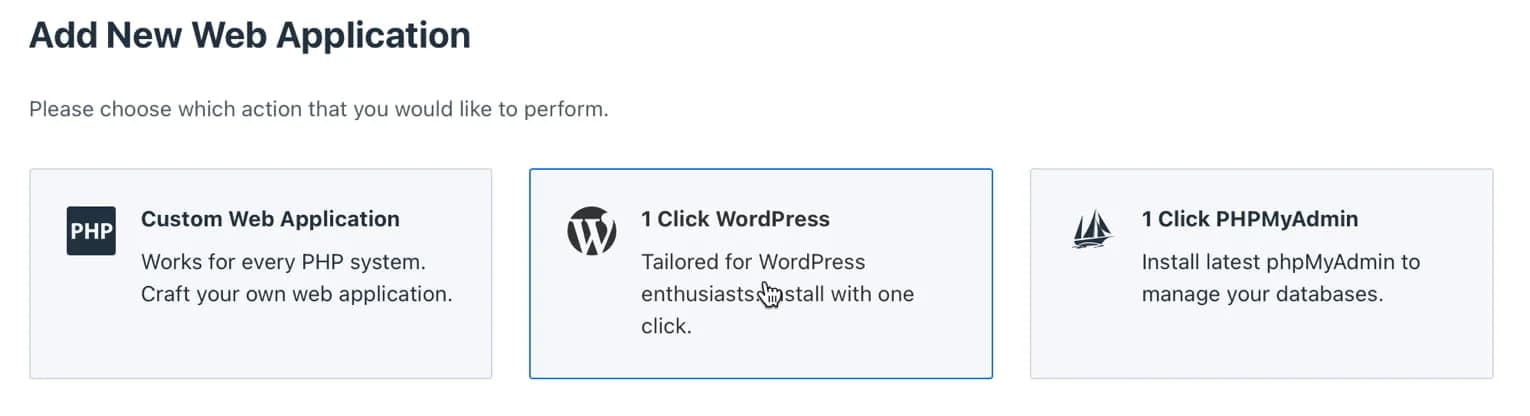
and select 1 Click WordPress.
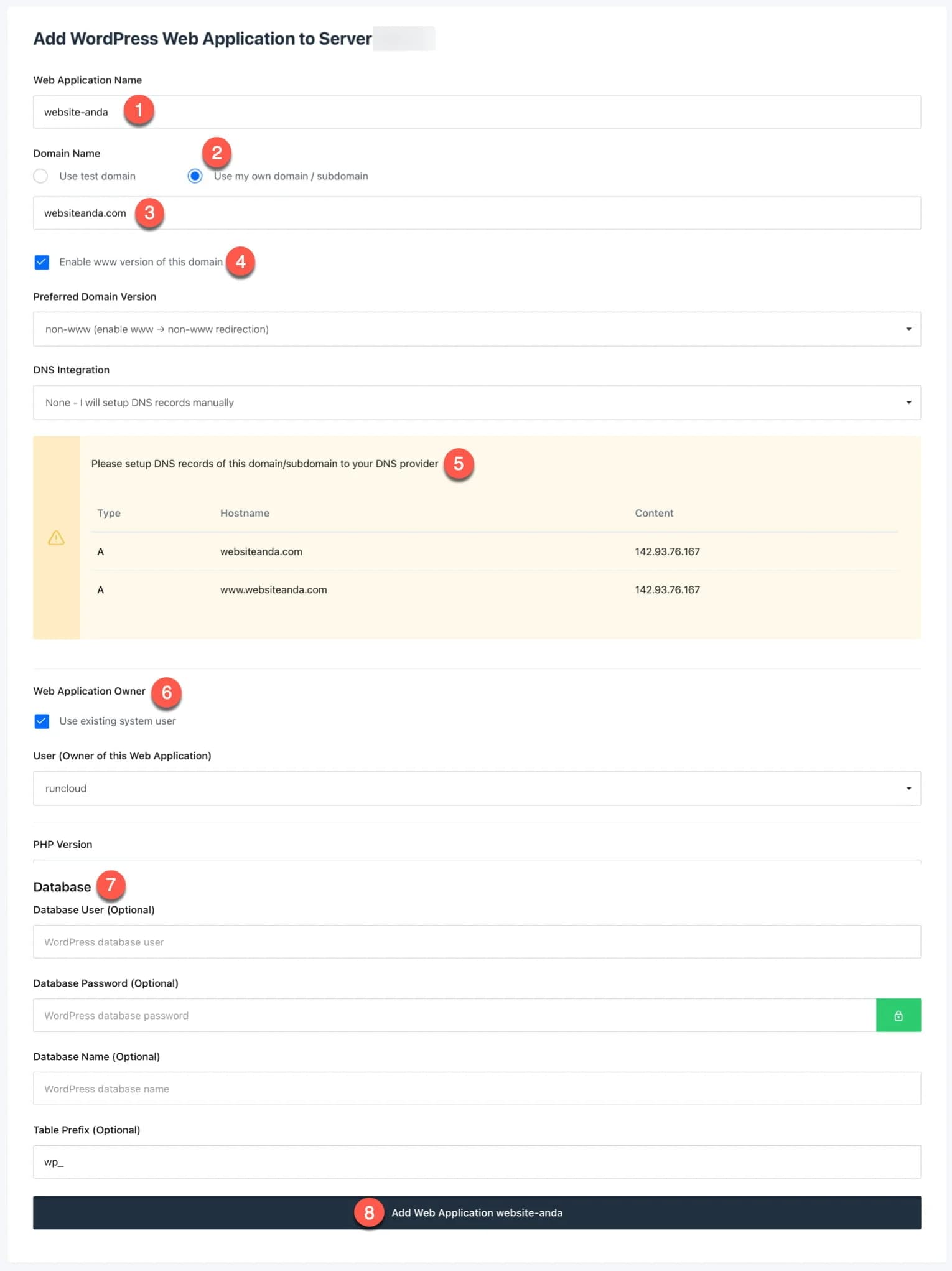
-
Write the name of your application, for example: advisor-hosting
-
Select "Use my own domain/sub domain"
-
Enter the domain name: for example: adviserhosting.com
-
Check "Enable www version..." if you are using two versions. Don't forget to select the domain version you want, if you want to use “www.”, then select “www.”
-
Set up your domain's DNS records at the provider where you bought the domain by adding an A Record.
-
Leave it checked, unless you want to create a new system user
-
Leave as is, unless you have created a database beforehand (optional)
-
Click the "Add web application..." button
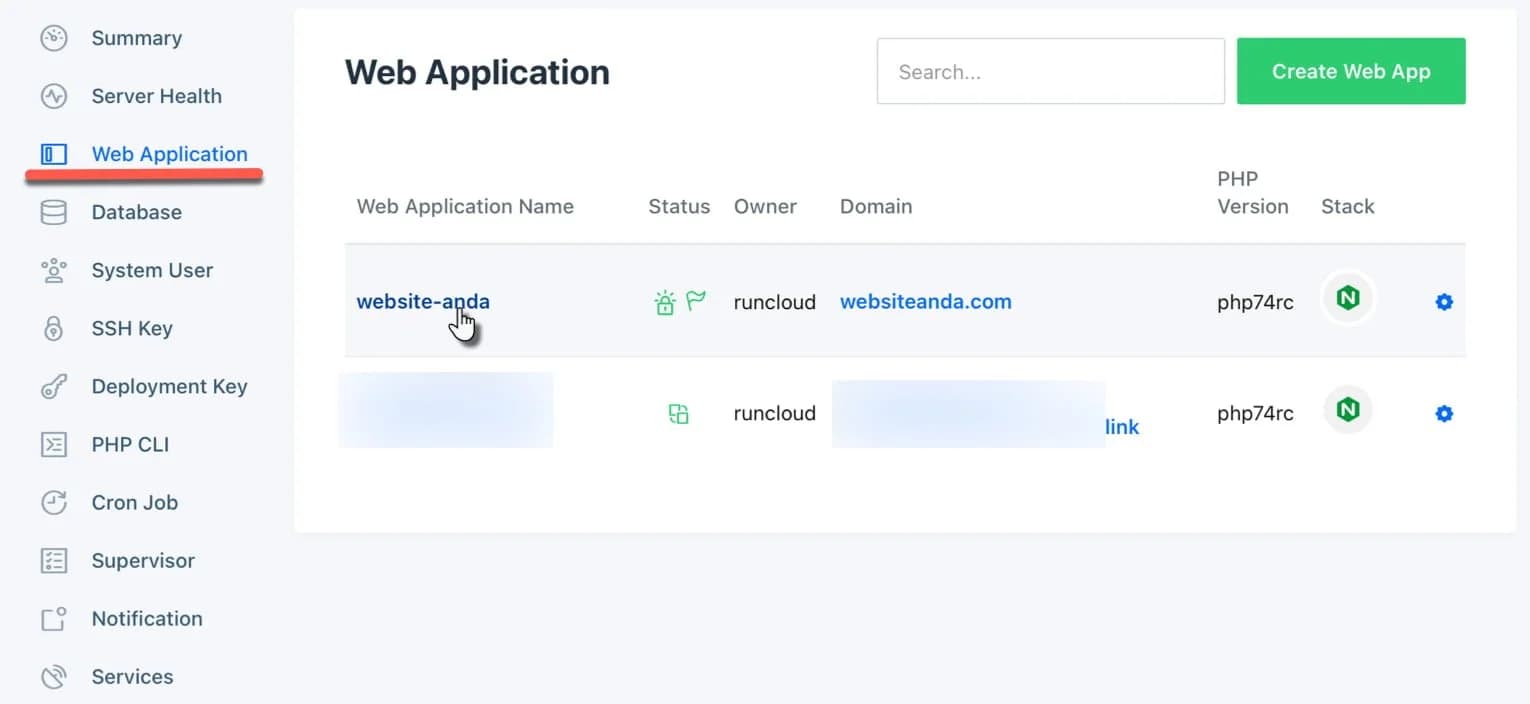
Remember, to access the web app you just installed, open or click the "Web Application" menu and click the domain name.
That's all.
Have questions regarding RunCloud? Please send it via the comments column below. Usually I will reply to questions that come in in less than 48 hours.

Willya Randika
Hi, saya Randika, seorang Web Developer yang spesialis di WordPress, Astro, dan Next.js. Sejak 2015, saya telah membantu ratusan bisnis dan profesional membangun website yang tidak hanya cepat dan aman, tapi juga mudah ditemukan di Google dan efektif mengkonversi pengunjung menjadi pelanggan.
More Reviews
Cloudways Review
A complete review of Cloudways, a popular managed cloud hosting platform, discussing its advantages and disadvantages as well as how it compares to other providers. Suitable for beginners to developers.
Kinsta Reviews
A complete review of Kinsta, a premium managed WordPress hosting provider, discussing its advantages and disadvantages, superior features, and performance. Suitable for users who want the best performance and expert support.
Kenceng Solusindo Review
Kenceng Solusindo offers the fastest server response in load tests and excellent support, with fair pricing, but lacks a refund guarantee and has limited backup features.
WarnaHost Review
Offers cheap hosting services with pretty good support and JetBackup features. However, it still has shortcomings in uptime stability and server response speed which tends to be slow when tested.
Jagoan Hosting Review
Jagoan Hosting offers a fairly fast average server response speed and an Acronis automatic backup feature with 14 day retention, but server uptime still needs to be improved.
IDCloudHost Review
IdCloudHost's average uptime is quite impressive from 2024 to January 2025, and has the fastest average server response time compared to all the providers we tested.